



ONN universal remote codes are 4-digit numbers that let you program your ONN remote to control TVs, DVD players, streaming devices, and other electronics. Each brand has specific codes that sync your remote to your device.
Getting your ONN remote to work is simple. You either enter the right code for your TV brand or let the remote find it automatically. This guide has both methods plus the complete code list for 2026.
Similar to RCA universal remote codes and GE universal remote codes, ONN remotes use standardized 4-digit code systems that work across hundreds of brands.

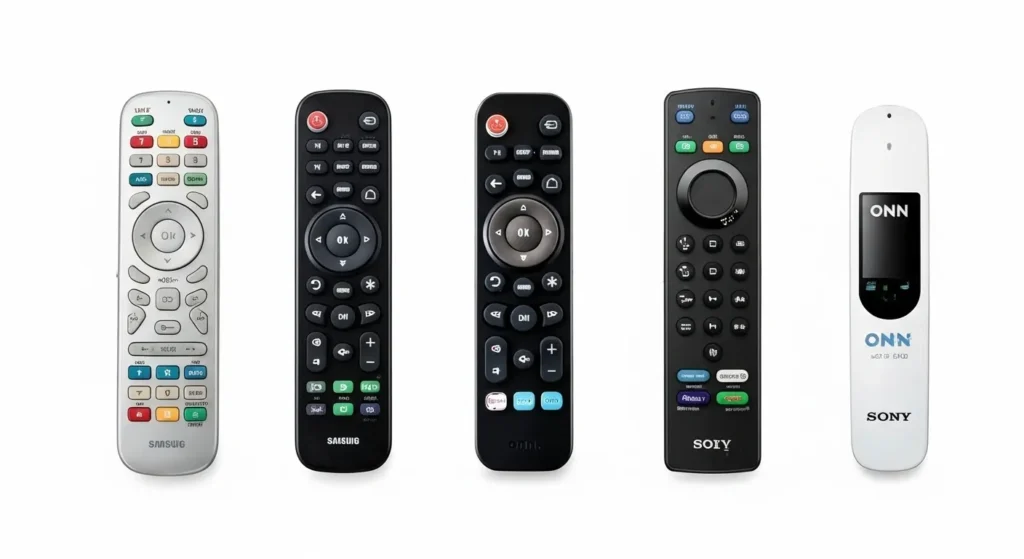
Complete ONN Universal Remote Code List (2026)
TV Brand Codes (A-Z)
Here are all working codes for major TV brands. Try each code in order until one works.
For brand-specific programming guides, check our detailed articles on Samsung TV remote codes, Sony TV remote codes, and Vizio universal remote codes.
| Brand | Codes |
|---|---|
| Accurian | 4045 |
| Acer | 1163, 1817 |
| Admiral | 0135, 2120, 2058, 0001, 2439, 0020 |
| Advent | 2354, 0176, 0167, 1181, 2434, 1160, 0116 |
| Affinity | 2077, 2078, 4100, 4103, 4096, 4099 |
| Aiwa | 3009, 1949, 2423, 2428, 0196 |
| Akai | 0214, 1148, 1137, 2487, 2488, 2494, 2012, 0076, 1138, 2415, 1139, 2451, 0231 |
| Apex Digital | 2497, 2499, 0424, 2431, 1796, 0214, 2061, 0436, 0215, 0216, 0949, 2139, 1132, 0445, 4123 |
| Ario | 2061 |
| Audiovox | 0053, 2290, 1146, 1165, 2418, 1019, 1164, 4042, 4092, 4052, 4048, 4008, 4066, 4049, 4015, 4040 |
| Auria | 0009, 1179, 2504 |
| Benq | 2044, 0101, 0083, 1150, 0081 |
| Blackweb | 3566 |
| Broksonic | 0135, 2103, 0147, 2228, 2436, 0237 |
| Citizen | 0004, 0008, 0009, 0001, 0042, 0053, 2406, 0244, 0252 |
| Coby | 1796, 2356, 1804, 1863, 2448, 2452, 1805, 1813, 4032, 4062, 4061, 4030, 4059, 4063, 4057, 4058, 4064 |
| Curtis | 2067, 0077, 2077, 2046, 2466, 3030, 2061, 0130, 4083, 4068, 4100, 4097, 4096, 4078, 4067, 4105, 4107, 4065 |
| Daewoo | 3023, 0004, 0126, 0017, 0127, 0018, 0009, 0019, 2152, 0010, 0080, 2209, 3022, 0042, 0043, 2406, 2094, 0039, 0100, 0130, 0138, 0140, 0244, 0252, 0444 |
Note: For Blackweb universal remote codes, Daewoo TV remote codes, and Durabrand TV remote codes, visit our dedicated programming guides. | Dell | 0028, 2187, 2358, 0132, 2363, 2377 | | Digistar | 0165, 1160, 0167, 0118, 2290, 1020, 1152, 0116, 1019, 1151 | | Durabrand | 0135, 0198, 0157, 0217, 0189, 0133, 0153, 2449 | | Dynex | 1171, 2461, 2351, 0135, 1181 | | Element | 2538, 1025, 2468, 1820, 1173, 3109, 3000, 2464, 2492, 1821, 2467, 4056, 4142, 4148, 4127 |
Tip: Check our guides for Dynex TV remote codes and Element TV remote codes for model-specific programming steps. | Emerson | 2324, 3110, 2454, 2455, 2472, 3109, 2423, 2467, 2477, 0004, 0198, 1173, 1141, 1172, 3014, 3022, 2471, 0023, 0027, 0032, 0034, 0037, 0039, 0040, 0045, 0130, 0179, 0231, 0237, 0249, 0252, 0259 | | Envision | 2504, 2095, 0004, 0074, 0009, 2369, 2091, 1009 | | Fisher | 2440, 0049, 2210, 2254, 2360, 0012, 0180, 1957 | | Funai | 1877, 0198, 1949, 0051, 0042, 0053, 2423, 2426, 4014 | | GE | 2433, 0198, 0214, 0048, 0004, 0044, 2057, 0015, 2359, 0087, 0009, 0022, 0052, 3105, 2357, 0003, 0054, 0125, 0164 | | Goldstar | 0004, 2117, 3107, 1949, 0338, 0009, 0080, 2254, 2423, 0012, 0057, 0156, 1957 | | Haier | 2502, 0217, 0077, 3001, 0216, 0157, 1147, 3106, 0081, 0935, 4127, 4009, 4086 | | Hisense | 3537, 1173, 0182, 2463, 2060, 0077, 2464, 0004, 0216, 0073, 1016, 1176, 2503, 4145, 4051, 4127 | | Hitachi | 0088, 0419, 0012, 0061, 0091, 0137, 0139, 0142, 0179, 1002, 1957, 4127, 4137, 4021, 4088, 4076, 4002 | | Insignia | 3531, 0135, 0133, 0198, 1160, 0167, 0217, 0103, 3002, 2334, 1180, 1175, 2422, 2426, 2444, 2445, 0029, 0116, 1407, 1181, 4000, 4131, 4029 | | JVC | 2446, 0160, 0065, 0026, 0067, 2011, 0069, 0141, 2254, 2459, 0012, 0197, 1957 | | LG | 3534, 0004, 2098, 0155, 2254, 0338, 0009, 0012, 0057, 0134, 0156, 1957, 2492, 4080, 4127, 4079, 5501 | | Magnavox | 2477, 0899, 1174, 1133, 2426, 2091, 0198, 0062, 0235, 2120, 1772, 0183, 2427, 2439, 0207 | | Mitsubishi | 2086, 0151, 0005, 0004, 0009, 0051, 0141, 0022, 2319, 0180, 4013, 4044 | | NEC | 0004, 0095, 0009, 0010, 2359, 0141, 1819, 3105, 2357, 1384, 0003, 0181, 0249, 4009, 4125, 4087, 4143, 4044, 4025 | | ONN | 3552, 3544, 3545, 3543, 2357, 0102, 2493, 2479, 3004, 2490, 3560, 3561, 3568, 3569, 3571, 3574, 3575 | | Panasonic | 3005, 2484, 0381, 2470, 3024, 2472, 0003, 0054, 0062, 0171, 1182, 1989, 4055, 4033, 4014 | | Philips | 3535, 1154, 2477, 2495, 1141, 1772, 0205, 2091, 0003, 0062, 0081, 0086, 0154, 0208, 1776, 0199, 0200, 0206, 0207, 1149, 0183, 2427, 2439, 2120, 0204, 4014, 4077, 4039, 4127 |
For detailed setup instructions, see our Hisense TV remote codes programming and Philips universal remote codes guides. | Pioneer | 0185, 0009, 0072, 0004, 1879, 1819, 2396, 3104, 0090, 0179, 0181, 4025, 4055 | | Polaroid | 2099, 1025, 0214, 2466, 2063, 1160, 2499, 0133, 0173, 2290, 1136, 0029, 0116, 1019, 1169, 1177, 4052, 4040, 4017, 4047, 4042, 4015, 4030, 4041 | | Proscan | 2467, 2480, 1174, 0000, 1173, 3027, 2069, 0077, 2077, 2046, 2078, 0015, 0162, 0163, 4074, 4115, 4124, 2096, 4133, 4107, 4096, 4056, 4100, 4129, 4134, 4105, 4113, 4130, 4135, 4053 | | RCA | 0048, 3027, 2433, 0004, 2357, 2067, 2046, 2069, 2078, 2077, 0077, 2209, 0191, 0102, 0003, 0054, 0096, 0100, 0113, 0125, 0129, 0179, 0187, 0188, 4100, 4130, 4126, 4078, 4049, 3537, 4132, 4135, 4133, 4139, 4140, 4074, 4118, 4081, 4096, 4145, 4114, 4113, 4134, 4105, 4129, 4104 | | Roku TV | 2491, 3531, 3532 | | Samsung | 3528, 2481, 2482, 2355, 0007, 0012, 0104, 0106, 0172, 1773, 1957, 4108, 4111 | | Sansui | 2466, 2103, 0189, 1181, 2456, 2485, 2495, 2496, 2228, 2471, 4089, 4121, 4128, 3538, 4113, 4095, 4026 | | Sanyo | 0110, 2458, 1181, 2457, 0012, 0108, 0180, 1833, 1834, 1957, 2000, 4034, 4145, 4033 | | Sceptre | 0149, 1167, 1132, 4022, 4010, 4075 | | Seiki | 1822, 2478, 2498, 4033, 4141, 4004, 4034 | | Sharp | 2464, 2491, 0223, 2352, 2489, 0004, 0006, 0020, 0122, 0123, 4147, 4116, 4127, 4145 | | Sony | 3536, 2483, 2462, 2438, 0002, 2323, 0071, 0033, 0152, 4019, 4007, 4036 | | Sylvania | 0189, 2324, 0135, 2426, 2364, 0198, 1141, 1172, 3101, 3014, 0004, 0075, 1949, 0008, 0068, 0009, 0141, 0161, 2423, 0062, 4014, 4113 | | TCL | 3532, 2493, 2479, 3004, 2490, 2057 | | Toshiba | 0109, 2470, 0159, 2103, 0095, 0117, 3024, 0141, 1819, 2254, 2432, 2435, 2447, 0012, 0120, 0178, 0181, 1848, 1957, 4146, 4003, 4024 | | Viewsonic | 2369, 1179, 2504, 2460, 2116, 0072, 1144, 1014, 0046, 4101, 4149, 4122, 4050, 4085, 4037, 4002, 4004, 4020 | | Vizio | 3533, 2472, 2045, 2501, 2473, 0143, 2476, 2474, 0081, 1168, 1169, 0033, 2475, 4039, 4144, 4071 | | Westinghouse | 2480, 3098, 3099, 0013, 2061, 0077, 0114, 1814, 2456, 0136, 1949, 0080, 2209, 3022, 2423, 0100, 0130, 0138, 1008, 4082, 4016, 4106, 4093, 4148 | | Zenith | 2492, 2459, 0338, 0004, 0038, 0064, 1949, 0078, 0009, 2152, 2228, 0001, 1857, 0153, 0131, 2406, 2423, 2425, 2427, 2435, 2453, 0023, 0039, 0091, 0121, 0134, 0138, 0252 |
Additional Resources: For alternative universal remote options, explore One for All universal remote codes and Sony universal remote codes. Zenith TV owners can find specific codes at our Zenith universal remote codes guide.
DVD/Blu-ray Player Codes
| Brand | Codes |
|---|---|
| Apex | 0533, 0717, 1020, 1056, 1061 |
| Denon | 0490, 0634 |
| Emerson | 1268 |
| Funai | 0675, 1268 |
| JVC | 0558, 0623, 0867 |
| LG | 0591, 0741, 0869 |
| Magnavox | 0503, 0539, 0646, 0675 |
| Panasonic | 0490, 0703 |
| Philips | 0503, 0539, 0646, 0675 |
| Pioneer | 0525, 0571, 0142 |
| RCA | 0522, 0571, 0717 |
| Samsung | 0490, 0573, 0820 |
| Sony | 0533, 0864, 1033, 1070, 1516 |
| Toshiba | 0503, 0695, 1045, 1154 |
| Zenith | 0503, 0591, 0741 |
Streaming Device Codes
| Device | Codes |
|---|---|
| Apple TV | 0111, 1115 |
| Roku | 2891, 3061, 3081 |
| Amazon Fire TV | 2049, 2050, 2051 |
| Chromecast | Built-in HDMI-CEC control |
| Google TV | 3061 |
Audio Device Codes
| Brand | Codes |
|---|---|
| Bose | 1229, 1841, 1933 |
| JBL | 1376 |
| LG | 1366, 1602 |
| Samsung | 1868, 2137 |
| Sony | 1358, 1622, 1759 |
| Yamaha | 1176, 1331, 2061 |
| Vizio | 1517, 2454 |
For soundbar setup help, check our Bose universal remote codes guide.
Cable/Satellite Box Codes
| Provider/Brand | Codes |
|---|---|
| AT&T U-verse | 1376, 1982 |
| Comcast Xfinity | 1376, 1982, 2187 |
| Cox | 1376, 2187 |
| DIRECTV | 1377, 1414, 1442 |
| DISH Network | 1505, 1775 |
| Spectrum | 1376, 1982, 2187 |
| Verizon FiOS | 1376, 1982 |
Cable Box Programming: Spectrum users should visit our Spectrum universal remote codes page for detailed cable box setup instructions.
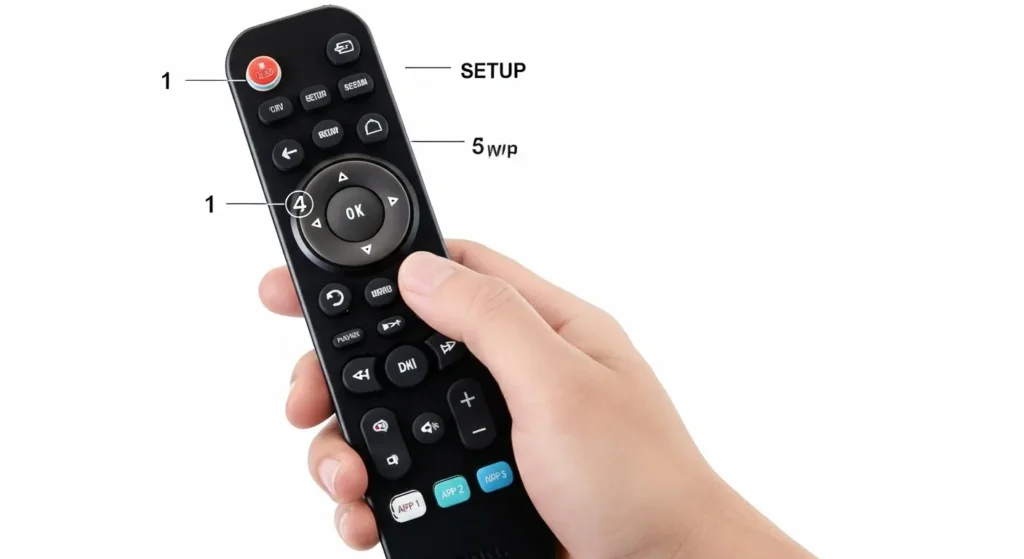
How to Program ONN Universal Remote (2 Methods)
You have two ways to program your ONN remote. The first method scans automatically. The second needs you to enter codes manually.
These programming methods work similarly to GE universal remote codes and ByJasco universal remote codes systems.
Method 1: Auto Code Search (No Code Needed)
This method works when you don’t know your device code or when manual codes fail.
- Turn on the device you want to control.
- Press and hold the Setup button until the red LED light turns on. This takes about 3 seconds.
- Press the device button (TV, DVD, SAT, or AUX). The LED blinks once then stays lit.
- Point the remote at your device. Press and hold the OK button.
- The remote sends power signals every 2 seconds. Watch your device closely.
- Release OK immediately when your device turns off. The remote locks the code.
- Press the Power button to turn your device back on.
- Test volume, channel buttons, and menu to confirm full functionality.
The auto search cycles through roughly 350 codes. This can take 10 to 15 minutes for some devices. Be patient and keep the remote pointed at your device the whole time.

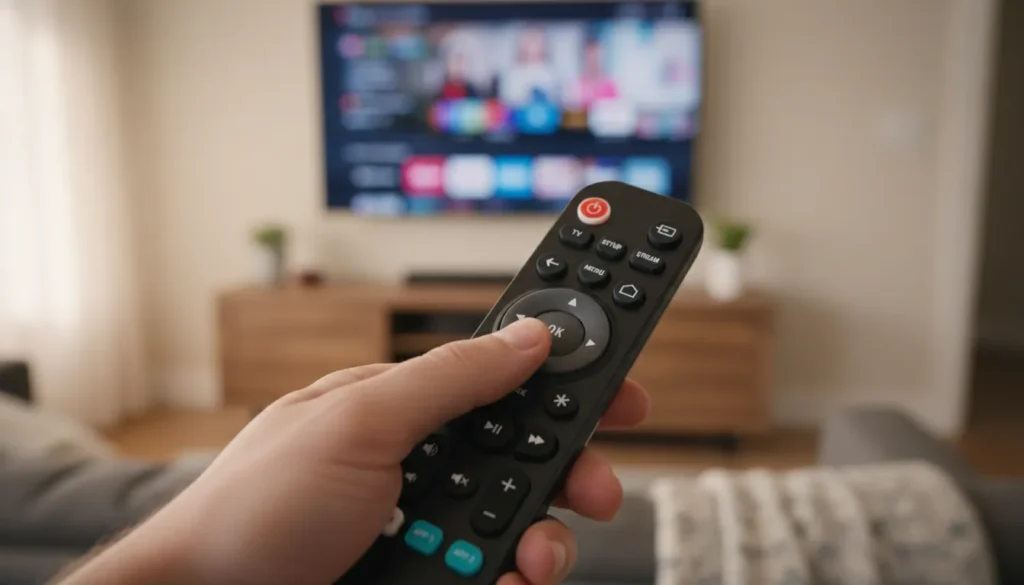
Method 2: Direct Code Entry (Manual Programming)
Use this when you know your brand’s codes or when auto search takes too long.
- Turn on your device.
- Press and hold Setup until the red LED stays on (about 3 seconds).
- Press your device button (TV, DVD, SAT, AUX). The LED blinks once then stays on.
- Enter your 4-digit code using the number buttons.
- The LED turns off if the code is correct. The LED stays on if the code is wrong.
- Test the remote. Press Power, Volume, and Channel buttons.
If the remote doesn’t work fully, repeat steps 2-6 with the next code for your brand. Some brands have 10 or more codes. Try each one until you get full control.
Quick tip: Write down the working code on a piece of tape and stick it inside the battery compartment. You’ll need it if batteries die or you reset the remote.
ONN Remote LED Light Meanings
The red LED on your ONN remote tells you what’s happening during setup. Here’s what each pattern means.
Solid red light after pressing Setup: You’re in programming mode. Ready for next step.
One blink then solid: Device mode selected. Ready for code entry.
Light turns off after entering code: Success. Code accepted and locked in.
Light stays on after entering code: Wrong code. Try another one from your brand’s list.
Three quick blinks then off: Code successfully programmed and locked.
Rapid blinking: Low battery warning. Replace batteries soon.
No light at all: Dead batteries or remote malfunction. Try fresh batteries first.
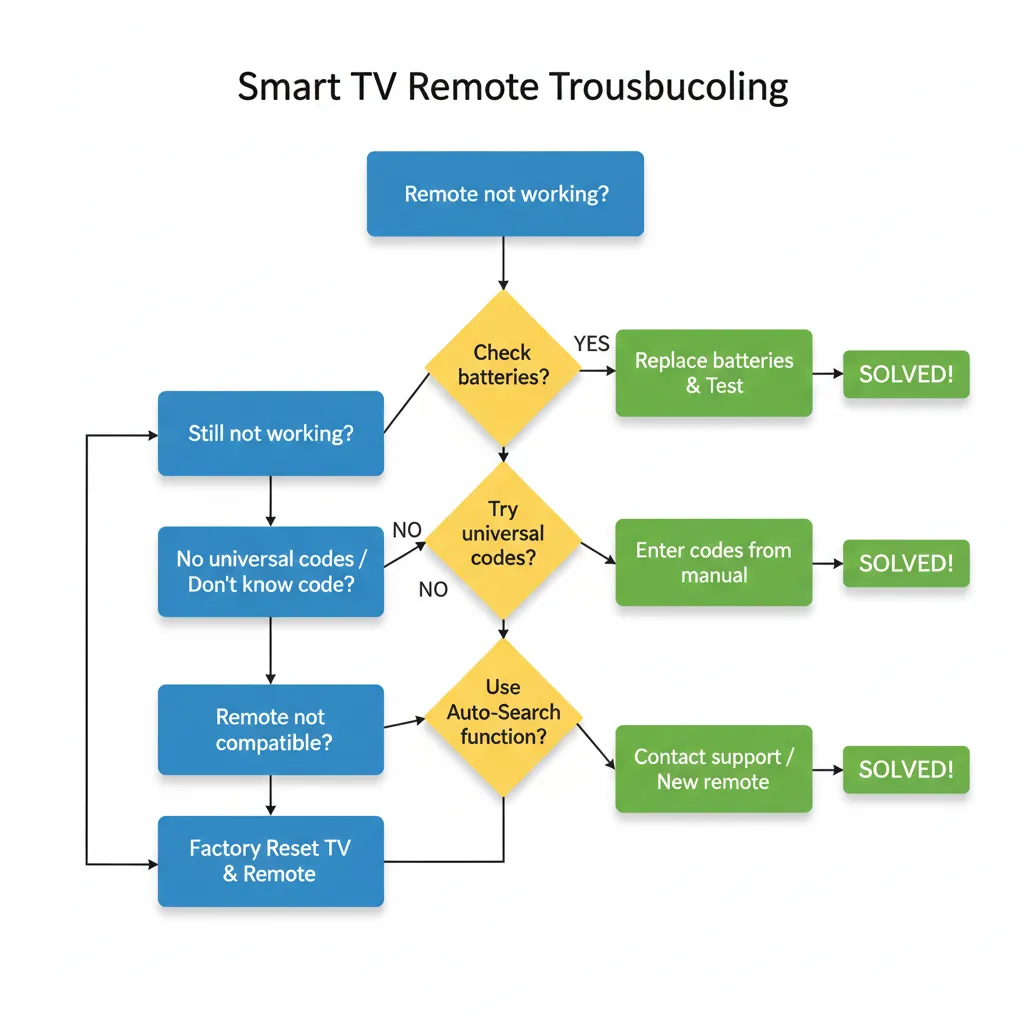
Troubleshooting ONN Remote Issues
Remote Not Responding
Check these first. Dead batteries cause 80% of remote problems.
Replace both AAA batteries with fresh ones. Don’t mix old and new batteries.
Make sure nothing blocks the path between remote and device. The IR sensor needs clear line of sight.
Stand within 15 feet of your device. IR signals weaken past this distance.
Clean the remote’s IR bulb at the top. Dust blocks the signal.
Code Won’t Lock In
The LED stays lit after entering your code. This means the code didn’t register.
Double-check you’re using codes for the right brand. Samsung codes won’t work on LG TVs.
Enter the code slower. Wait half a second between digits.
Try the next code on your brand’s list. The first code doesn’t always work.
Hold Setup for a full 3 seconds before starting. A quick press won’t activate programming mode.
Partial Functionality (Some Buttons Work)
Power and volume work but channel buttons don’t. This is the most common complaint.
You have the wrong code. It’s close but not exact for your model.
Try every code listed for your brand. One will give full functionality.
Some TV features just won’t work with universal remotes. Smart TV menus sometimes need the original remote.
Red Light Stays On
You started programming but didn’t finish the sequence.
Press Setup again to exit programming mode.
Remove batteries for 30 seconds. This forces a reset.
Reinsert batteries and start from step 1 of your chosen method.
Battery Issues
Your remote eats batteries in 2 weeks. This isn’t normal.
Check for stuck buttons. A pressed button drains power constantly.
The remote might be sending signals non-stop. This happens after failed programming attempts.
Factory reset the remote. Remove batteries, press every button twice, wait 1 minute, reinsert batteries.
Use quality alkaline batteries. Cheap batteries die fast in IR remotes.
If you’re experiencing persistent issues, consider trying alternative universal remotes like Vivitar universal remote control codes or Pavy universal remote codes.

Advanced Features
Master Volume Control
This lets your ONN remote control your TV volume even when you’re in DVD or cable mode.
- Press and hold Setup until LED lights.
- Press 9-9-3. The LED blinks twice.
- Press the device button that should always control volume (usually TV).
- Press Setup to lock it in.
Now your TV volume works no matter which mode you’re in. This is useful when watching cable or streaming through a soundbar.
Learning Mode (Copy Functions)
Some ONN remote models can learn functions from your original remote. Check your model number to see if yours has this feature.
Models with learning: ONA12AV058, ONA13AV269, ONA16AV010
- Press and hold Setup until LED lights.
- Press 9-7-5. LED blinks twice.
- Press the button you want to teach (on the ONN remote).
- Point both remotes at each other, 2 inches apart.
- Press and hold the button on your original remote.
- The LED blinks twice when learning succeeds.
- Repeat for other buttons.
- Press Setup when finished.
This copies specific functions that codes can’t replicate.
Factory Reset Instructions
Reset your ONN remote when nothing else works. This clears all programming.
- Remove the batteries.
- Press and hold the Power button for 20 seconds. This drains residual charge.
- Press every other button once. This clears the memory buffer.
- Wait 60 seconds.
- Insert fresh batteries.
- The remote is now blank. Reprogram from scratch.
You’ll lose all programmed devices. Write down working codes before resetting.
FAQs
Which ONN remote model do I have?
Check the back of your remote or inside the battery compartment. Common models are ONB13AV004, ONA12AV058, 100020904, and 39900. The model number is usually printed near the barcode.
Can I use multiple codes?
No. One code per device. If you try programming the same device button with different codes, the newest code overwrites the old one.
What if no code works?
Use auto code search. If that fails, your device might be too old or use a non-standard IR protocol. Some smart TVs from 2024-2025 only work with Bluetooth remotes, not IR universal remotes.
How do I program combo devices?
Combo units like TV/DVD players need two steps. Program the TV function first using TV codes. Then program the DVD function using DVD codes on a different device button. You’ll switch between device buttons to control each function.
Where can I buy a replacement ONN remote?
Walmart sells ONN remotes for $8 to $15. They’re usually in the electronics section near TV accessories. You can also buy them on Walmart.com. Amazon carries some models but at higher prices.
Do ONN remotes work with smart TVs?
Yes, but with limits. Basic functions like power, volume, and input work fine. Advanced smart TV features like voice control and app navigation need the original remote. The ONN remote controls the TV hardware, not the smart platform.
How long do batteries last?
Expect 6 to 12 months with normal use. Heavy users might need new batteries every 3 months. Always use alkaline batteries for best life.
Can I control my soundbar?
Yes, if it’s in the supported device list. Use the audio device codes or AUX button. Many soundbars from LG, Samsung, Sony, and Vizio work with ONN remotes.
Conclusion
ONN universal remotes solve the missing remote problem for under $15. The code list covers 95% of TVs sold in the last 20 years. Programming takes 5 minutes with direct code entry or 15 minutes with auto search.
Start with the manual code method using your brand’s codes. If that doesn’t work, switch to auto code search. One of these methods will get your remote working.
Save your working code somewhere safe. You’ll thank yourself later when you need to reprogram after a battery change.



