

Samsung has addressed a long-standing frustration with typing on its smart TVs, yet the solution remains limited because most third-party app developers have not adopted it.
Samsung Already Fixed TV Typing, But App Developers Don’t Care
Typing text on a Samsung smart TV using the physical remote often feels slow and awkward. Navigating an on-screen keyboard with directional buttons takes time and effort. Voice input offers an alternative, but it can falter, particularly for users whose first language is not English.
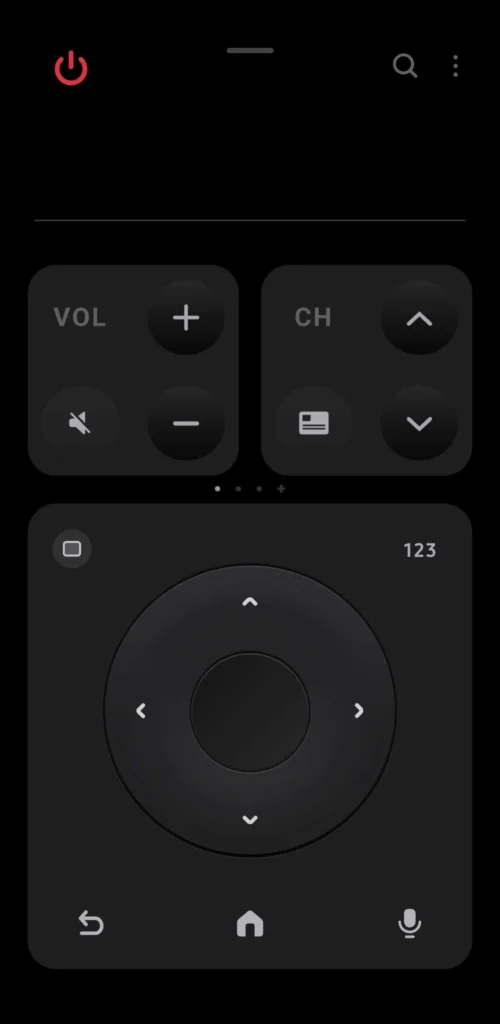
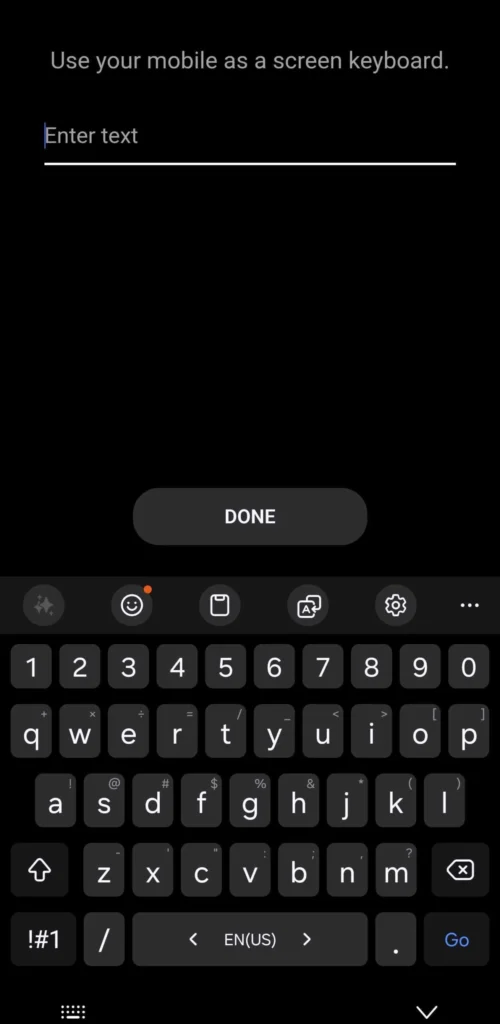
Samsung introduced a practical workaround through its SmartThings app. This mobile app includes a virtual remote control for the TV. When text input is needed, it lets users type directly on their phone’s keyboard. The text then appears on the TV screen.
This approach works well in cases where apps rely on Samsung’s built-in virtual keyboard system. For instance, the Samsung Internet browser on the TV triggers this keyboard when entering a URL, allowing phone-based typing via SmartThings. The recently released Jellyfin app for TVs also supports it, pulling up the system keyboard for search or login fields.
However, the majority of third-party apps on Samsung TVs skip Samsung’s keyboard entirely. These apps build their own text entry systems, which do not connect to the SmartThings phone keyboard feature. As a result, users fall back to the remote for typing in most streaming, login, or search scenarios across popular services.
The framework for better input exists on Samsung’s Tizen platform. Developers can integrate the native keyboard to enable this phone-to-TV typing flow. Yet adoption stays low, leaving the feature inconsistent and underused.
Samsung could help by highlighting this capability more clearly to both users and app creators. Wider support would make the SmartThings remote a stronger everyday tool for TV control.
Why Typing on Samsung TVs Remains a Problem
- Remote-based entry is tedious due to button-by-button selection.
- Voice recognition struggles with accents, non-English words, or noisy rooms.
- Many users end up avoiding text-heavy tasks like searches or account logins.
The SmartThings Solution in Action
- Open SmartThings on a paired phone.
- Access the TV remote interface.
- When an app calls for text (and uses the system keyboard), the phone keyboard appears.
- Type normally; input transfers to the TV instantly.
This method turns a phone into a more natural typing device, but only for compatible apps.
Limited App Support Holds It Back
Most major streaming apps and services on Tizen stick to custom input fields. They ignore the native keyboard integration, so SmartThings phone typing never activates.
Exceptions like Jellyfin show what is possible when developers choose to support it.
Moving Forward
Samsung provides the tools for smoother text entry. The gap lies in developer choices. If more apps embraced the built-in system, TV users would face far less frustration during everyday tasks.
Also Read: Jellyfin Finally Hits Samsung TVs – Free Plex Alternative


