

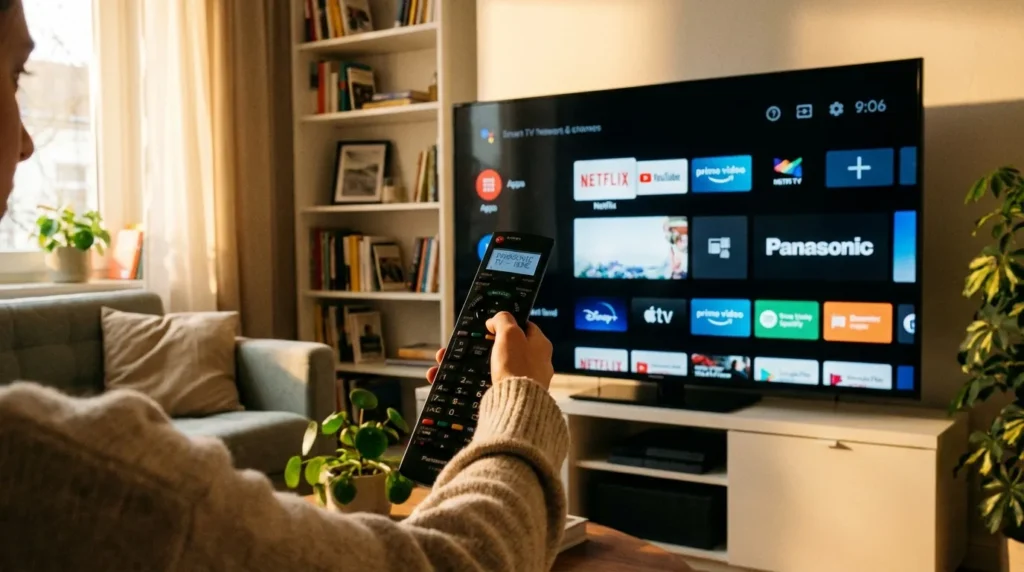
If your Panasonic remote stopped working or you want one remote to control everything, a universal remote is the fix. But it only works once you enter the right code. This guide covers every major brand’s codes for Panasonic TVs, step-by-step programming instructions, and what to do when a code doesn’t work.
Quick Answer
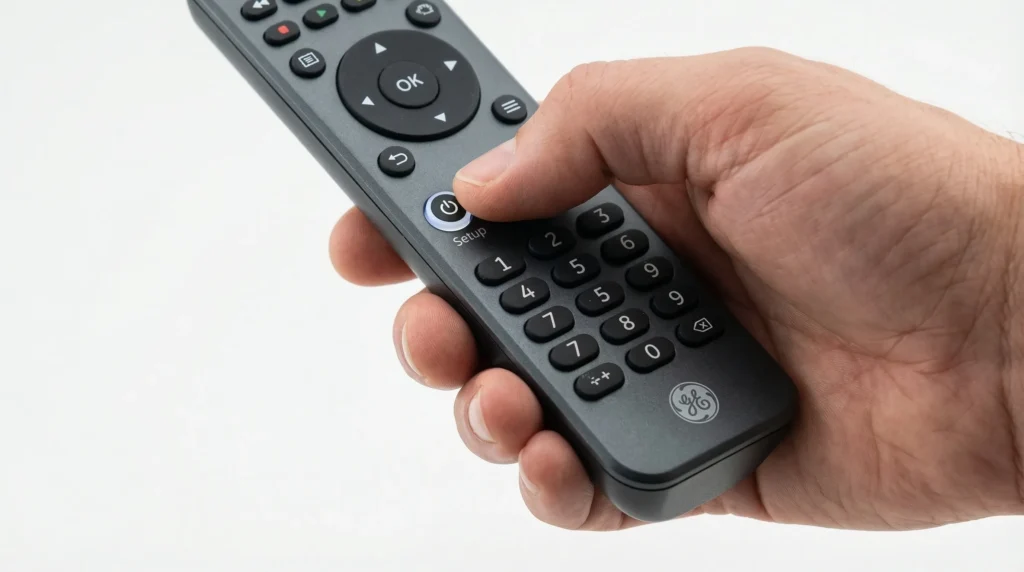
The most commonly working 4-digit codes for Panasonic TVs are 0171, 0054, and 0170 (GE remotes) and 1277, 1275, and 1406 (RCA remotes). To program: turn on your TV, press and hold the Setup button on your universal remote until the LED stays lit, enter a code from the list below, then press Power. If the TV shuts off, the code worked.
Panasonic TV Universal Remote Codes by Brand
RCA Remote Codes for Panasonic TV
RCA remotes use 4-digit codes. Try these in order — stop as soon as one works. For a complete list of RCA codes covering all TV brands, see our full RCA universal remote codes guide.
| Code | Code | Code | Code |
|---|---|---|---|
| 1277 | 1275 | 1406 | 1055 |
| 1418 | 1253 | 1109 | 1392 |
| 1130 | 1003 | 1054 | 1289 |
| 1246 | 1419 | 1170 | 1389 |
| 1286 | 1350 | 1062 | — |
Start with 1277 — it covers the widest range of Panasonic TV models.
GE Remote Codes for Panasonic TV
GE and GE Pro remotes use 4-digit codes. If you’re also setting up other devices with your GE remote, our GE universal remote codes guide has codes for every brand.
| Code | Code | Code | Code |
|---|---|---|---|
| 0171 | 0054 | 0170 | 0950 |
| 0003 | 0070 | 0062 | 0381 |
| 0148 | 0374 | 0437 | — |
0171 and 0054 are the strongest matches for most Panasonic LCD and LED TVs.
Philips Remote Codes for Panasonic TV
| Code | Code | Code | Code |
|---|---|---|---|
| 0039 | 0696 | 0416 | 0618 |
| 0739 | 0901 | 0608 | 0345 |
| 0007 | 0807 | 0718 | — |
Need codes for other TVs with your Philips remote? See our Philips universal remote codes guide.
Spectrum Remote Codes for Panasonic TV
Spectrum remotes use 5-digit codes. For setup instructions specific to Spectrum remotes across all devices, check our dedicated Spectrum universal remote codes guide.
| Code | Code | Code | Code |
|---|---|---|---|
| 11480 | 12240 | 11927 | 11947 |
| 11924 | 10171 | 11060 | 10150 |
| 10156 | 10178 | 11142 | 11347 |
| 11454 | 11774 | 12360 | — |
Xfinity / Comcast Remote Codes for Panasonic TV
Xfinity XR2, XR5, XR11, and XR15 remotes use 5-digit codes.
| Code | Code | Code | Code |
|---|---|---|---|
| 10171 | 11060 | 11480 | 10054 |
| 11947 | 10178 | 11142 | 12049 |
For the XR15 (voice remote), use the on-screen pairing menu under Settings > Remote Control rather than manual code entry. The remote will auto-detect Panasonic TVs in most cases.
DirecTV Remote Codes for Panasonic TV
DirecTV RC65, RC66, and RC73 remotes use 5-digit codes.
| Code | Code | Code | Code |
|---|---|---|---|
| 10171 | 10054 | 11060 | 10000 |
| 11710 | 10056 | 10030 | 11247 |
The RC73 (Genie remote) supports RF pairing for DirecTV receivers, but still uses IR codes for TV control. Use the codes above for the TV function only.
Dish Network Remote Codes for Panasonic TV
Dish 20.1, 21.1, 40.0, 52.0, and 54.0 remotes.
| Code | Code | Code | Code |
|---|---|---|---|
| 505 | 522 | 627 | 720 |
| 775 | 627 | 535 | — |
Dish remotes use 3-digit codes for TV control. Enter the code after pressing and holding the TV button until the LED blinks twice.
One For All Remote Codes for Panasonic TV
| Code | Code | Code |
|---|---|---|
| 22435 | 43612 | 11212 |
| 22461 | 21615 | — |
One For All remotes support dozens of TV brands beyond Panasonic. See the complete One For All universal remote codes list if you’re programming other devices.
Magnavox and Brightstar Remote Codes for Panasonic TV
Magnavox: 0029, 0052, 00064
Brightstar: 004, 202, 802, 610, 301, 302, 303, 055, 056
Panasonic HDTV and Smart TV Remote Codes
Standard Panasonic TV codes work on most models. But newer Panasonic HDTV and Smart TV series (VIERA, OLED, 4K LED) sometimes require specific codes.
HDTV-specific codes (RCA remotes): 1277, 1275, 1170, 1392
HDTV-specific codes (GE remotes): 0171, 0950, 0374
One important note: Panasonic Smart TVs still respond to IR signals from universal remotes for basic functions — power, volume, input. Advanced Smart TV functions like app launching are not accessible via a universal remote. Those require the original Panasonic VIERA remote or the Panasonic TV Remote 2 smartphone app.
Codes for Other Panasonic Devices
Panasonic DVD and Blu-Ray Player Codes
These codes are for universal remotes controlling a Panasonic DVD or Blu-ray player, not the TV.
| Remote Brand | Codes |
|---|---|
| RCA | 2031, 2066, 2075, 2076, 2104, 2105, 2106, 2111, 2151, 2153, 2154 |
| GE | 0490, 0522, 0741, 0831, 0854, 0874 |
| Philips | 0399, 0490, 0522, 0566, 0698 |
| Universal / Generic | 1231, 1289, 1049, 1053, 1292, 1295, 1010, 1123, 1003, 1152, 1096 |
Panasonic Soundbar and Audio System Codes
| Remote Brand | Codes |
|---|---|
| RCA | 4030, 4063, 4050, 4018, 4038, 4051, 4005 |
| GE | 4037, 4050, 4063, 4002 |
| One For All | 4037, 4002, 4018 |
These codes control power and volume on Panasonic soundbars and home theater systems. Surround sound navigation typically requires the original remote. If you’re also pairing your remote with a Bose audio system, see our Bose universal remote codes guide.
How to Program a Universal Remote to a Panasonic TV — Manual Method
This works for GE, RCA, Philips, One For All, Magnavox, and most universal remotes.
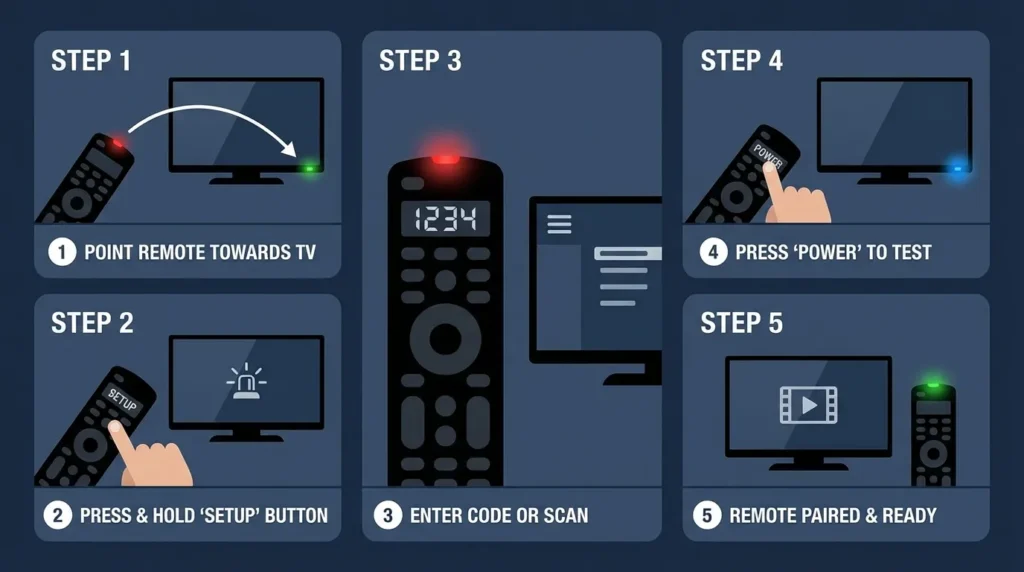
Step 1. Turn on your Panasonic TV.
Step 2. Press and hold the Setup (or Code Search) button on the universal remote until the LED light stays lit — not blinking, just solid.
Step 3. Press the TV button on the remote. The LED should blink once, then stay lit again.
Step 4. Enter a 4-digit (or 5-digit) code from the list above using the number pad. The LED will blink after each digit — this is normal.
Step 5. Point the remote at your Panasonic TV and press the Power button. If the TV turns off, the code worked. Press Power again to turn the TV back on.
If the TV doesn’t turn off, the code didn’t register. Repeat from Step 2 with the next code on the list.
How to Program Without a Code — Auto-Search Method
If you don’t want to try codes manually, most universal remotes have an auto-scan function.
Step 1. Turn on your Panasonic TV and point the remote directly at it. Keep the line of sight clear throughout.
Step 2. Press and hold the Code Search button until the LED lights up solid. Release it.
Step 3. Press the TV button. The LED will blink once.
Step 4. Press the Power button once every 3 seconds. The remote cycles through codes in its database with each press.
Step 5. When the TV turns off, stop. Press Enter within 3 seconds to lock the code in.
If you miss the Enter window, the remote moves to the next code and you’ll need to start over. Some remotes scan 200+ codes, so this can take a few minutes.
Troubleshooting — What to Do When Codes Don’t Work
1. The LED won’t stay lit when entering setup. The batteries are likely low. Replace them first. Weak batteries cause inconsistent IR signal strength and failed code entry.
2. The TV doesn’t respond to any code in the list. Your universal remote may have an older code database. Check the manufacturer’s website for a firmware update or updated code list. GE, RCA, and One For All all publish updated PDF code lists.
3. The code works but only some buttons function. This is normal. Universal remote codes cover basic functions: power, volume, mute, input, channel. Advanced functions like Smart TV menus require the original remote.
4. The TV responds but the code won’t save. You’re either pressing Enter too slowly after the TV shuts off (auto-search method) or the remote’s memory is full. Reset the remote to factory settings and reprogram from scratch.
5. You’ve tried every code and nothing works. Some older Panasonic models use proprietary IR protocols not included in standard universal remote databases. If you’re in that situation, a direct replacement remote is the right move — see the section below. The same issue sometimes affects other older TV brands; our guides for Hisense TV remote codes, Sony TV remote codes, and Samsung TV remote codes include similar troubleshooting steps for those brands.
Frequently Asked Questions
Can any universal remote work with a Panasonic TV? Most can. Any universal remote with a code database that includes Panasonic — which covers virtually every major brand — will work for basic TV control. Compatibility issues only arise with very old Panasonic models (pre-2000) or certain Panasonic plasma TVs from the early 2000s.
What’s the difference between 3-digit, 4-digit, and 5-digit codes? It depends on the remote brand. Dish Network remotes use 3-digit codes. Most GE, RCA, Philips, and universal remotes use 4-digit codes. Cable provider remotes — Xfinity, Spectrum, DirecTV — typically use 5-digit codes. Using the wrong format for your remote won’t cause damage; the code just won’t register.
Why do some Panasonic TVs need multiple code attempts? Panasonic has released dozens of TV model series over 30+ years. Different series — VIERA, plasma, LCD, 4K OLED — sometimes use different IR code sets. One code list won’t cover all of them. Always work through the full list for your remote brand before giving up.
Do universal remote codes expire or stop working? No. IR codes are fixed. A code that worked in 2015 still works today. The issue is usually a firmware or battery problem with the remote, not the code itself.
What if my Panasonic TV is old and no code works? Try a learning remote. Learning remotes (including Logitech Harmony and certain GE models) can copy signals from any working Panasonic remote by pointing the two at each other. If you have any working Panasonic remote — even for a different model — you can clone its signals.
Does this work for other TV brands too? Yes — the same process applies to any TV brand. If you’re also programming your remote for a Vizio TV, Sony TV, or Samsung TV, the steps are identical — only the codes change.
When to Get a Replacement Remote
If you’ve worked through every code and the universal remote still won’t control your Panasonic TV reliably, a direct replacement remote is the cleanest fix. Replacement Panasonic-compatible remotes are pre-programmed for Panasonic TVs — no code entry needed. They restore full button functionality including Smart TV navigation, which universal remotes can’t replicate.
A quality universal TV remote with an updated code database is also worth considering if you’re controlling multiple devices from one remote. Look for remotes with 4-device or 8-device support and a current code library that includes HDTV and Smart TV entries.


