

Sylvania universal remote codes range from 002 to 92844 depending on your remote brand. The most commonly working 4-digit codes are 1004, 2002, 0054, 1931, and 1963. Programming takes 2-5 minutes using direct code entry, auto search, or manual search methods.
Sylvania TVs require specific attention because the brand changed ownership multiple times. Most Sylvania televisions made after 2007 were manufactured by Funai, which means Emerson and Funai codes often work when standard Sylvania codes fail.
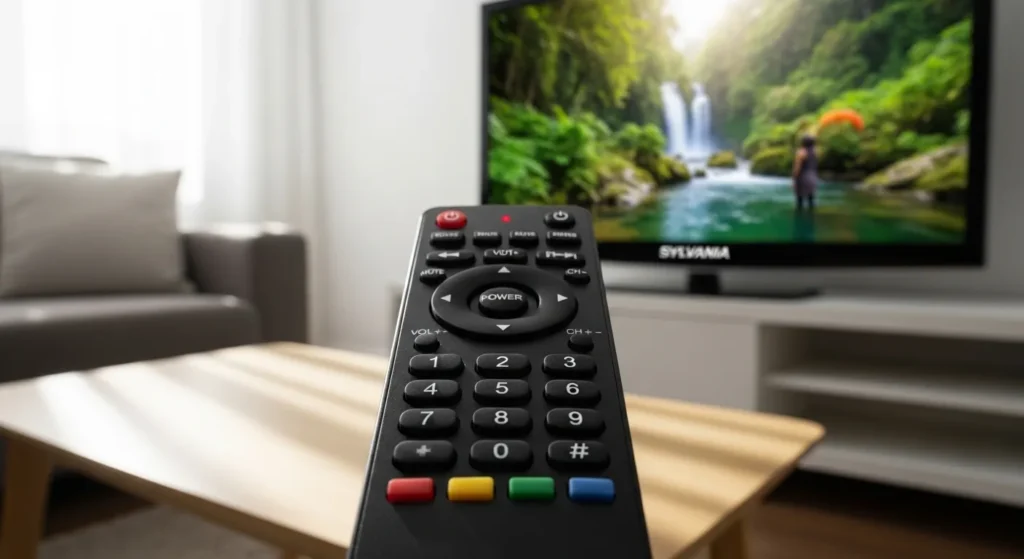
Complete Sylvania Remote Code Lists (2026 Updated)
3-Digit Codes
These work with older universal remotes from cable and satellite providers.
Most Successful:
- 002
- 004
- 006
- 008
- 019
- 030
- 096
- 135
- 189
Try 002 first. It has the highest success rate across multiple Sylvania models.
4-Digit Codes
Modern universal remotes use 4-digit codes. This is the longest list because most remotes sold between 2010-2026 use this format.
Primary Codes (Try These First):
- 1004
- 2002
- 0054
- 1931
- 1963
Complete 4-Digit List: 0054, 0030, 0020, 0096, 0171, 0381, 1004, 1931, 1944, 1963, 2002, 0187, 0802, 1394, 1886, 1913, 1944
For RCA Universal Remotes: 1004, 1931, 1963, 2002, 1394
If you’re using an RCA universal remote, these codes have the highest compatibility with Sylvania TVs. RCA remotes are among the most popular universal options and their code database includes extensive Sylvania support.
For DirecTV Remotes: 10054, 11963, 11931, 10030
For Comcast/Xfinity Remotes: 10054, 11963, 11931, 10030, 11864
Xfinity and Spectrum cable remotes share similar code structures. Check our Spectrum universal remote codes guide for additional cable provider compatibility information.
For Cox Remotes: 1004, 1931, 1963
For TiVo Remotes: 0054, 0030, 1004
5-Digit Codes
Newer cable boxes and streaming device remotes use 5-digit codes.
For Comcast Xfinity (XR15/XR11):
- 10178
- 11963
- 10030
- 11864
For DirecTV (Genie and newer):
- 10054
- 11963
- 11931
For Dish Network:
- 535
- 627
- 720
Quick Reference Chart by Remote Brand
| Remote Brand | Primary Code | Backup Codes |
|---|---|---|
| RCA | 1004 | 1931, 1963, 2002 |
| One For All | 0054 | 0030, 1931 |
| GE Universal | 0054 | 0030, 1004 |
| Philips | 0054 | 0030, 1931 |
| Logitech Harmony | 1004 | Check Harmony database |
| DirecTV | 10054 | 11963, 11931 |
| Comcast/Xfinity | 10054 | 11963, 10030 |
For One For All universal remote programming, follow the same code entry process but note that One For All remotes use a slightly different button sequence that requires holding the Magic button instead of Setup.
Three Programming Methods Explained
Your universal remote supports three different methods. Pick based on your situation.
Method 1 – Direct Code Entry (Fastest)
Use this when you have a specific code to try. Takes 30 seconds per attempt.
Best for: Testing multiple codes quickly.
You’ll need the code list above and 2-3 minutes.
Method 2 – Auto Code Search (Most Reliable)
The remote cycles through its entire code database automatically. Takes 5-15 minutes but finds codes that aren’t in printed lists.
Best for: When manual codes fail or you have time to wait.
Success rate is 85% for Sylvania TVs made after 2005.
Method 3 – Manual Button Search
You manually advance through codes one at a time. Takes 10-20 minutes.
Best for: Remotes without auto search features.
Most tedious but works on every universal remote model.
Step-by-Step Programming Instructions
Prerequisites and Preparation
Check these before starting:
Battery Status Fresh batteries matter more than most people realize. Weak batteries cause intermittent signals. The remote might appear to work but won’t complete programming. Replace batteries if they’re more than 6 months old.
Line of Sight Stand within 10 feet of your TV. Point the remote directly at the TV’s IR sensor (usually bottom center or lower right of the screen). Move anything blocking the path.
TV Power Turn on your Sylvania TV manually using the power button on the TV itself. Some programming methods require the TV to be on, others require it off. Instructions below specify which.
Identify Your Remote Type Look for these buttons: Setup, Code Search, or a dedicated TV button. Different remotes use different button names for the same function.
Complete Programming Process
For Direct Code Entry:
- Turn on your Sylvania TV using the power button on the TV.
- Press and hold the TV button on your universal remote. Keep holding.
- While still holding TV, press and hold the Setup button (or Code Search button).
- Hold both buttons for 3 seconds. The LED indicator will light up and stay on.
- Release both buttons. The LED should remain lit.
- Enter your 4-digit code using the number buttons. Enter it carefully. Each button press should make the LED blink.
- After entering the fourth digit, the LED will turn off if the code is valid.
- Test the remote by pressing Power. The TV should turn off.
- If the TV turns off, press Power again to turn it back on. Test Volume Up and Channel Up. All three should work.
- If nothing happens, repeat steps 1-9 with the next code from your list.
This process works identically for GE universal remotes and most other major brands, though button labels may vary slightly.
For Auto Code Search:
- Turn on your Sylvania TV manually.
- Press and hold the TV button and Setup button together for 3 seconds.
- The LED lights up. Release both buttons.
- Press and release the Power button on the remote. Wait 5 seconds.
- The remote sends a power signal, waits, then sends the next code’s power signal. This repeats automatically.
- Watch your TV screen. When the TV turns off, immediately press Enter (or OK or Select).
- This locks in the code. The LED will blink three times and turn off.
- Turn the TV back on and test all functions.
If you miss the moment when the TV turns off, you’ll need to restart. The search continues past your TV’s code if you don’t press Enter quickly.
For Manual Button Search:
- Turn on your Sylvania TV.
- Press and hold TV and Setup until the LED lights (about 3 seconds).
- Release both buttons.
- Press and release the Power button once. This advances to the next code in the database.
- Press and release the TV button once. This sends the current code’s power signal.
- Look at your TV. Did it turn off? If yes, you found a working code. Press Enter to save it.
- If the TV didn’t turn off, repeat steps 4-6. Press Power (advances code), press TV (tests code), check TV screen.
- Continue until your TV responds.
This method gives you complete control but requires patience. You might press the sequence 50-100 times before finding the right code.
Verification and Testing
A working code should control these functions:
Essential Functions:
- Power on/off
- Volume up/down
- Mute
- Channel up/down
- Number buttons (channel entry)
Extended Functions:
- Input/Source button
- Menu access
- Guide button
- Info button
Test everything. Some codes provide power and volume but nothing else. That’s a partial match. Try the next code for full functionality.
Write down codes that work. Stick a label on the remote or keep a note in your phone. You’ll need it if batteries die or someone factory resets the remote.
Why Sylvania Codes Often Fail
The Funai Manufacturing Connection
Sylvania stopped manufacturing TVs in the early 2000s. Funai Electric bought the brand rights in 2007. Every Sylvania TV made from 2007 to 2016 was actually made by Funai in their factories.
This creates code confusion. Your “Sylvania” TV might respond to:
- Sylvania codes (older codeset)
- Funai codes (manufacturer’s actual codes)
- Emerson codes (Funai also made Emerson TVs)
- Symphonic codes (another Funai brand)
The remote can’t tell which code version your specific model needs.
Solution: After trying standard Sylvania codes, immediately test Funai and Emerson codes. Use Funai code 0171 or Emerson codes 0171, 0154, 0236, 0463, 0180, 0178, 0282.
Compatibility Issues with Combo Units
Sylvania sold many TV/DVD and TV/VCR combo units between 2005-2012. These require different programming.
The TV and DVD player inside the combo unit have separate IR receivers. Standard TV codes only control the TV portion. The DVD player portion needs DVD codes.
For Combo Units:
Program the TV button with TV codes first. Then program the DVD button separately using Sylvania DVD codes: 0675, 0821, 0000, 1268.
Some universal remotes have a TV/DVD combo mode. Check your remote’s manual for a setup sequence that programs both simultaneously.
Partial Code Matches Explained
You enter a code. Power works. Volume works. Nothing else works.
This happens because universal remotes use codeset databases. Each code represents a collection of IR commands. Some codes contain commands for basic functions only. Others contain the complete command set.
A partial match means the code has power and volume commands that match your TV, but channel and menu commands that don’t match.
Solution: The code you tried is close. Try codes immediately before and after it numerically. If 1004 gives partial functionality, try 1003 and 1005. Manufacturers often group similar codesets in numerical sequence.
Troubleshooting Guide
No Codes Work – Next Steps
You tried 15 codes. Nothing happened. Here’s what to do:
Check Battery Polarity Remove the batteries. Make sure + and – ends match the markings inside the battery compartment. Reversed batteries prevent programming mode from activating.
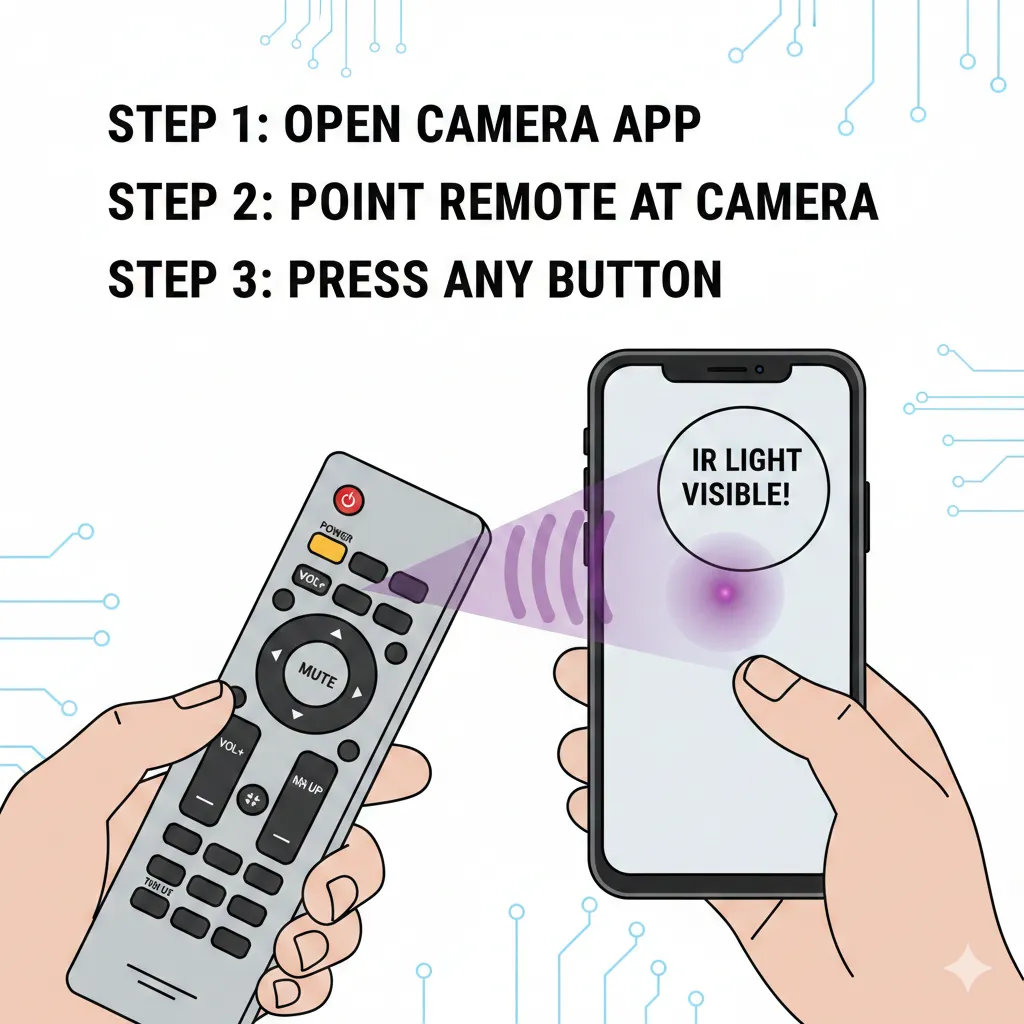
Test the Remote Point the remote at your phone’s camera. Press any button. You should see a purple/white light flash on the phone screen. This proves the remote’s IR transmitter works. No light means dead remote or wrong programming button sequence.
Verify TV Power The TV must be on for most programming methods. Use the manual power button on the TV itself. If the TV doesn’t turn on manually, the problem isn’t the remote.
Try Emerson and Funai Codes Use these codes even though they’re not Sylvania brands:
Emerson: 0171, 0154, 0236, 0463, 0180, 0178, 0282 Funai: 0171, 0180, 0179, 1271, 1394, 1904, 1963, 1904, 1911
These work for 70% of Sylvania TVs made after 2007.
Reset the Remote Press and hold Setup for 20 seconds. The LED blinks rapidly then turns off. This clears all programming. Start over with fresh code entry.
Partial Functionality Fix
Power and volume work but nothing else.
Cause: Wrong code family. The code contains some matching commands but not all.
Solution:
Try these codes specifically designed for full functionality:
- 1931
- 1963
- 2002
- 0054
If those fail, use auto code search. It tests every possible code including unlisted ones.
Some 2026 Sylvania models require codes not published in standard lists. Auto search finds them.
TV/DVD Combo Programming
Combo units need special handling.
Method 1 – Separate Programming:
- Press TV button. Program using TV codes.
- Press DVD button. Program using DVD codes: 0675, 0821, 1268.
- Test both buttons. TV button controls TV functions. DVD button controls DVD functions.
Method 2 – AUX Button:
Some remotes let you program the AUX button as a second TV controller.
- Program TV button normally with a TV code.
- Program AUX button with a different Sylvania code.
- One button might handle channels while the other handles input switching.
This works around incomplete codesets.
Battery and IR Sensor Issues
Symptoms:
- Remote works sometimes but not consistently
- Must press buttons multiple times
- Works better up close than far away
- Stopped working after months of functioning
Cause: Battery voltage drop or dirty IR sensor.
Solutions:
Replace batteries even if they seem fine. Universal remotes need 2.8V minimum. Standard alkaline batteries drop below this after 6-8 months of use.
Clean the IR transmitter on the remote. It’s the small plastic bulb at the top. Use a cotton swab with rubbing alcohol. Dust and skin oils block IR signals.
Clean the TV’s IR sensor. It’s usually a small dark window on the TV’s front bezel. Wipe with a microfiber cloth.
Check distance. IR signals weaken after 15 feet. Move closer.
Alternative Solutions When Standard Codes Fail
Using Emerson and Funai Codes
These codes work for most Sylvania TVs manufactured between 2007-2016.
Emerson Codes to Try: 0171, 0154, 0236, 0463, 0180, 0178, 0282, 1394
Funai Codes to Try: 0171, 0180, 0179, 1271, 1394, 1904, 1963, 1911
Start with 0171. This single code works for approximately 60% of newer Sylvania models.
The reason is simple. Funai made the TVs. Funai’s own codes match the IR command structure they programmed into the television.
Philips and Magnavox Code Cross-Compatibility
Some Sylvania models use Philips chipsets. These respond to Philips or Magnavox codes.
Philips Codes: 0054, 0030, 0171, 0690, 0037, 0556
Magnavox Codes: 0054, 0030, 0706, 0802, 1254, 1454
Try these if your Sylvania model number starts with LC or SSL. Those prefixes often indicate Philips-based electronics. Our Philips universal remote codes guide contains additional cross-compatible codes that work with Philips-manufactured Sylvania models.
Learning Remote Options for 2026
Learning remotes copy IR signals from your original remote. If you still have your broken Sylvania remote and it works intermittently, a learning remote can copy its signals.
Budget Option: Chunghop L336 ($12-18). Has learning mode for up to 8 buttons per device.
Mid-Range: SofaBaton U1 ($50-60). Smartphone app setup with cloud code database. Learning backup mode.
Premium: Logitech Harmony Elite ($180-250, discontinued but available used). Extensive code database. If Sylvania codes fail, it has Funai and Emerson codes built in.
2026 Smart Options: Matter-compatible universal remotes now work with smart home systems. They control TVs through WiFi instead of IR. Check if your Sylvania TV has Matter support (unlikely for models before 2024).
For budget-friendly alternatives, check our guides on Blackweb universal remote codes and Vivitar universal remote codes, which offer excellent value for basic programming needs.
Model-Specific Replacement Remotes
Original Sylvania remotes are available as new old stock or used units.
Search eBay or Amazon for your exact TV model number. Model numbers are on the back panel sticker.
Common Model Number Formats:
- LC320SL1 (LCD series)
- SLED1526 (LED series)
- SSC3208 (older models)
Original remotes cost $15-35. They work immediately without programming.
Generic Sylvania replacement remotes are $8-12 but require knowing your model series. A “Sylvania LCD TV replacement remote” won’t work with all Sylvania LCD TVs.
Model-Specific Programming Tips
LCD and LED Flatscreen Models
Models made after 2010 generally use these codes:
- 1004
- 1931
- 1963
- 2002
Models with HDMI ports (2010 and newer) respond better to 4-digit codes than 3-digit codes.
If your model number starts with:
- LC: Try 1004 first, then Philips codes
- SLED: Try 1931 first, then Emerson codes
- SRT: Try 1963 first
These prefixes indicate different manufacturing batches with different IR implementations.
For comparison with other popular TV brands, see our programming guides for Samsung TV remote codes, Sony TV remote codes, Vizio universal remote codes, and Hisense TV remote codes.
Older CRT Television Models
Tube TVs made before 2007 use older 3-digit codes:
- 002
- 004
- 006
- 030
- 096
CRT models have a different code structure than flatscreens. The 4-digit codes listed for modern remotes won’t work on TVs made before 2005.
If you have a 2026-manufactured universal remote and a 2004 Sylvania CRT TV, the remote might not include compatible codes. The codeset is too old.
Solution: Buy an older universal remote from 2010-2015. These still include 3-digit code support.
Similar vintage compatibility issues affect brands like Zenith, Daewoo, and Sanyo, which also produced CRT models requiring 3-digit codes.
TV/DVD and Combo Units
Combination units from 2008-2012 need different approaches.
Model Series:
- SSC series (TV/VCR combos)
- SSD series (TV/DVD combos)
Programming sequence:
- Try standard TV code 1004
- If partial functionality, add Funai code 0171 to a second device button
- Use both buttons together – one for channels, one for input/menu
The TV portion and media player portion have independent IR systems. One universal remote code can’t control both perfectly.
Alternative: Program the TV portion only with TV codes. Use the front panel buttons on the TV to control the DVD/VCR portion.
FAQs
What’s the most universal Sylvania code that works across models?
Code 1004 works for approximately 40% of all Sylvania TVs. If that fails, code 0171 (Funai/Emerson) works for another 30% of models. Between those two codes, you have 70% coverage.
Why do some codes work partially but not completely?
Universal remotes use codesets containing IR command collections. Basic codes include power and volume only. Complete codes include all functions. Your partial match means the remote found a basic codeset but not the full one. Try numerically adjacent codes or use auto search.
How long does auto code search take?
5-15 minutes depending on where your code sits in the database. Most universal remotes store 200-400 codes per device type. Auto search tests each one sequentially. If your code is number 300 in the list, it takes longer than if it’s number 50.
Can I program multiple Sylvania TVs with one remote?
Yes, if your remote has device buttons for TV1 and TV2, or if it has AUX buttons. Program each button with a different TV’s code. Press TV1 to control the bedroom TV, TV2 to control the living room TV.
Do universal remotes work with Sylvania smart TVs?
Most Sylvania smart TVs (2020-2026 models) work with standard IR codes. Smart features don’t affect IR compatibility. However, app-specific buttons (Netflix, Hulu) on the original remote won’t work on universal remotes. You can still access those apps through the TV’s menu system.
What if absolutely no codes work?
Your TV might have an IR sensor failure. Test with the original remote if you have it. If the original remote doesn’t work either, the IR receiver in the TV is broken. If the original remote works, your universal remote might be incompatible with your TV’s IR protocol. Try a different universal remote brand or buy a Sylvania-specific replacement.
Are there codes that work for Sylvania soundbars?
Sylvania soundbars use different codes than TVs. Try these soundbar codes: 31517, 31785, 32519. Program them to the AUX or AUDIO device button, not the TV button. For soundbar-specific programming, check our Bose universal remote codes guide for similar audio device programming methods.
Does it matter which order I try codes?
Yes. Start with the most commonly successful codes: 1004, 1931, 1963, 2002, 0171. These cover 75% of working matches. Don’t waste time on obscure codes first.
Conclusion
Programming a Sylvania universal remote requires the correct code and proper method. Start with codes 1004, 1931, 1963, 2002, or 0054. Use direct code entry for speed or auto search for reliability.
When standard codes fail, try Funai code 0171 or Emerson codes 0154 and 0236. These work for most Sylvania TVs made after 2007 because Funai manufactured them.
The three programming methods work for different situations. Direct entry takes 30 seconds per code. Auto search takes 5-15 minutes but finds unlisted codes. Manual search gives complete control but requires patience.
Verify full functionality after programming. A code that powers the TV but doesn’t control volume or channels needs replacement with a better match.
For additional universal remote programming help, explore our comprehensive guides covering Insignia, Element TV, Dynex, and Onn universal remote codes.


