

Some of the best streaming content isn’t available where you live. A show available on a US platform won’t load in Europe. A sports stream licensed for one country is blocked everywhere else. If you’ve hit that wall on your Android device, you’re not alone — and the fix is simpler than most people think.
Why Streaming Apps Block by Region
Streaming platforms don’t choose what content to block. Licensing agreements do. A studio sells rights territory by territory, which means the platform is legally required to restrict access based on your IP address. Your IP reveals your location — the platform sees it, matches it against its license map, and blocks you if you’re outside the permitted region.
The solution is to change what IP address the platform sees. That’s where a proxy comes in.
How a Proxy Fixes It on Android
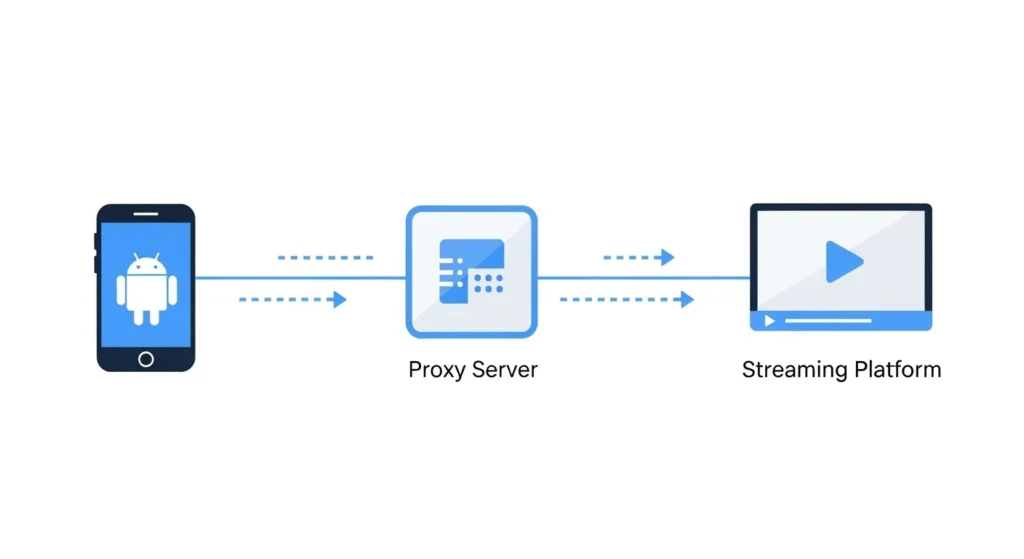
A proxy server routes your traffic through an IP address in a different location. Set up a proxy with a US-based IP, and streaming platforms see a US connection — not your actual location. Android supports proxy configuration natively for both Wi-Fi and mobile data connections, which means no third-party app is required to get it working.
The setup process varies slightly depending on your Android version and whether you’re on Wi-Fi or mobile data. For a full step-by-step walkthrough of both methods, read more on how to configure proxy settings on an Android device.
What to Look for in a Proxy for Streaming
Not every proxy handles streaming well. A few things matter:
Speed. Video needs consistent bandwidth. A slow or overloaded proxy will buffer constantly. Private proxies — where you’re not sharing the IP with dozens of other users — perform significantly better for streaming than shared or free options.
HTTPS support. Streaming platforms use encrypted connections. Your proxy needs to support HTTPS, not just HTTP, to work properly with them.
IP reputation. Some proxy IPs are already flagged by major streaming platforms from previous overuse. A provider that rotates IPs or maintains clean residential addresses avoids this problem.
Stable uptime. Mid-stream disconnections are frustrating. Choose a provider with a track record for reliability, not just the cheapest option available.
One More Use Case Worth Knowing
Proxy access on Android isn’t limited to streaming. It also helps when managing multiple accounts on apps like Telegram or Instagram — platforms that flag and ban multiple accounts sharing the same IP. A separate proxy per account keeps each one clean and reduces the risk of suspension.
Whether it’s streaming, account management, or just keeping your browsing private on public Wi-Fi, a properly configured proxy on Android covers all of it without requiring root access or complex software.


