

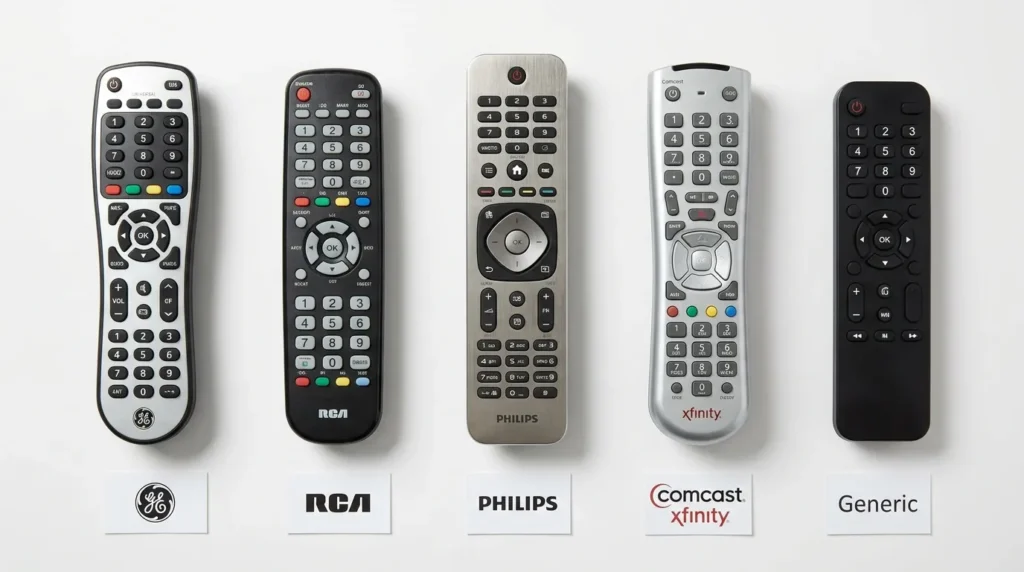
The most commonly working universal remote codes for Mitsubishi TVs are 0093, 0150, 0178, and 0019. If you have a GE, RCA, Philips, Comcast, or any other universal remote, the full code list below covers 3-digit, 4-digit, and 5-digit formats. Programming instructions for each method follow the codes.
Mitsubishi stopped selling TVs in the US market in 2013. That means finding a genuine replacement remote is harder than it used to be. A universal remote is the most practical fix — and these codes are what make it work.
Mitsubishi TV Remote Codes — Quick Reference
Not sure which code format your remote uses? Check your remote’s manual. Most newer remotes (GE CL5, CL6, RCA) use 4 or 5-digit codes. Older models use 3-digit codes. Try the codes at the top of each list first — they have the highest success rate across Mitsubishi TV models.
Not sure which buttons do what on your remote? The Remote Control Button Explainer tool breaks down every key by function.
3-Digit Universal Remote Codes for Mitsubishi TV
Top codes to try first: 004, 009, 011, 019, 022
Full 3-digit list: 004, 005, 006, 009, 011, 014, 019, 022, 027, 028, 034, 036, 037, 040, 041, 042, 046, 051, 055, 056, 058, 061, 063, 064, 068, 073, 077, 079, 080, 081, 082, 089, 090, 094, 095, 098, 104, 109, 114, 124, 125, 132, 133, 134, 135, 141, 146, 150, 151, 155, 177, 178, 180, 196, 200, 205, 225, 232, 241, 254, 348, 363, 450, 504, 505, 517, 521, 540, 542, 564, 570, 571, 572, 597, 613, 614, 623, 627, 652, 653, 654, 656, 695, 718, 725, 728, 787, 799
4-Digit Universal Remote Codes for Mitsubishi TV
Top codes to try first: 0093, 0150, 0178, 0019, 0022
Full 4-digit list: 0001, 0002, 0004, 0005, 0009, 0019, 0022, 0036, 0037, 0051, 0093, 0102, 0108, 0141, 0146, 0150, 0151, 0178, 0180, 0208, 0251, 0254, 0502, 0512, 0535, 0556, 0650, 0706, 0715, 0716, 0803, 0836, 0868, 1004, 1005, 1006, 1014, 1016, 1017, 1018, 1019, 1021, 1022, 1024, 1025, 1029, 1032, 1034, 1037, 1041, 1042, 1046, 1049, 1051, 1063, 1064, 1065, 1078, 1079, 1080, 1081, 1082, 1089, 1110, 1120, 1122, 1125, 1135, 1196, 1205, 1206, 1207, 1213, 1221, 1229, 1230, 1250, 1278, 1289, 1331, 1359, 1381, 1393, 1442, 1448, 1522, 1550, 1581, 1659, 1711, 1797, 1801, 1811, 1921, 2701, 3271, 5010, 5025, 5030, 5032, 5034, 5099, 5111, 5126, 5151, 5152, 5155, 5167, 5193, 5257, 5261, 5415, 5418, 5426
5-Digit Universal Remote Codes for Mitsubishi TV
Top codes to try first: 10093, 10150, 10178, 10019, 11250
Full 5-digit list: 10005, 10014, 10019, 10036, 10093, 10098, 10150, 10155, 10178, 10331, 10358, 10592, 10836, 10868, 11250, 11278, 11392, 11522, 11797, 11917, 12210, 12268, 12284, 12501, 12732, 15817, 17029, 17111, 18016, 18114, 19215
💡 Tip: If you’re unsure which code to start with, use the Remote Code Finder tool to narrow down the correct code by remote brand and TV model.
Mitsubishi TV Codes by Remote Brand
Different universal remote brands use different code databases. The codes below are pulled specifically for each remote brand.
GE Universal Remote Codes for Mitsubishi TV
GE remotes use a version system — CL3, CL4, CL5, and CL6. Your remote’s version is printed on the back of the unit or inside the battery compartment.
| GE Version | Codes |
|---|---|
| CL3 / CL4 | 0093, 0150, 0178, 0019, 0022 |
| CL5 | 10093, 10150, 10178, 10019, 11250 |
| CL6 | 12268, 12284, 11278, 11392, 12210 |
If you have a GE remote and these codes aren’t working, the GE universal remote codes guide covers the full list by version and device type.
RCA Universal Remote Codes for Mitsubishi TV
RCA remotes typically use 4 or 5-digit codes depending on the model.
4-digit: 0093, 0150, 0178, 0022, 0019, 0208, 1037, 0108 5-digit: 10093, 10150, 10178, 11250, 11797, 12268
For the complete setup walkthrough, see the RCA universal remote codes programming guide.
Philips Universal Remote Codes for Mitsubishi TV
4-digit: 0093, 0178, 0150, 0019, 0002, 0022, 0036 5-digit: 10093, 10178, 10150, 10019, 11250
The full brand list and setup steps are in the Philips universal remote codes guide.
Comcast / Xfinity Remote Codes for Mitsubishi TV
Xfinity remotes (XR2, XR5, XR11) use 5-digit codes.
5-digit: 10178, 10093, 10150, 11250, 11797, 12268, 12284
For all Xfinity remote models and setup steps, check the full Comcast Xfinity universal remote codes list.
DirecTV Remote Codes for Mitsubishi TV
DirecTV Genie and standard remotes use 5-digit codes.
5-digit: 10178, 10093, 10150, 10019, 11250, 11797
Spectrum / Charter Remote Codes for Mitsubishi TV
Spectrum remotes use both 3-digit and 5-digit codes depending on the remote version.
3-digit: 004, 011, 019, 022 5-digit: 10093, 10178, 10150, 11250
If you’re programming a Spectrum remote to multiple devices, the Spectrum universal remote codes guide has the complete setup for TVs, soundbars, and streaming boxes.
One-For-All Universal Remote Codes for Mitsubishi TV
4-digit: 0093, 0178, 0019, 0150, 0022, 1037, 0208 5-digit: 10093, 10178, 10150, 11250
See the One-For-All universal remote codes page for model-specific setup.
How to Program a Universal Remote to a Mitsubishi TV
Three methods work. Manual code entry is fastest when you already have the code. Auto scan works when you don’t. Brand search is a middle-ground option on remotes that support it.
Method 1 — Manual Code Entry (Recommended)
This is the fastest method. It works on GE, RCA, Philips, Comcast, Spectrum, and most other universal remotes.
- Turn on your Mitsubishi TV using the physical power button on the TV itself.
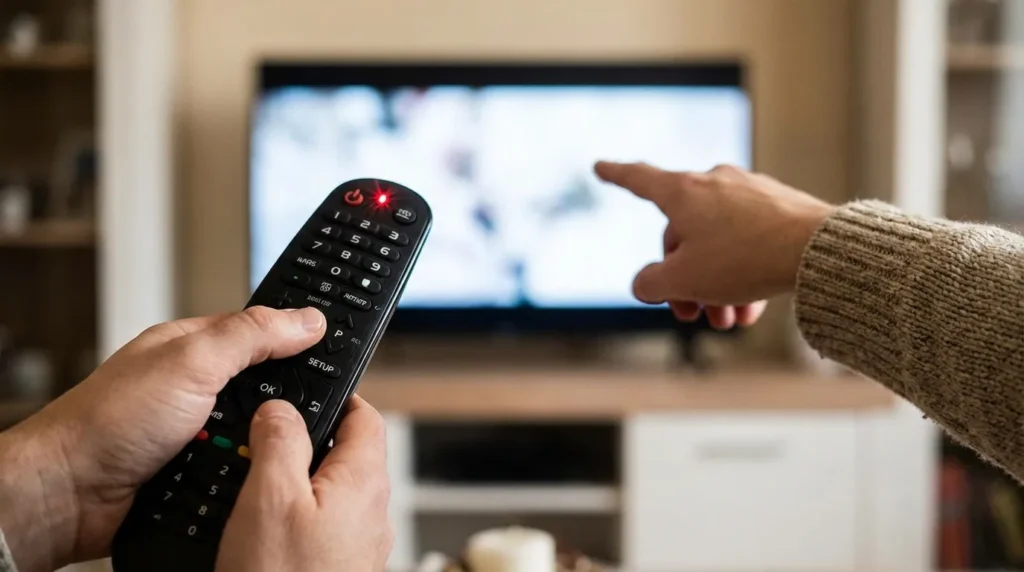
- Press and hold the SETUP button on your universal remote until the LED light turns on or blinks twice. Release the button.
- Press the TV button on your remote to put it in TV mode.
- Enter the 3, 4, or 5-digit code from the list above using the number keys.
- Point the remote at the TV and press POWER. If the TV turns off, the code worked. Press POWER again to turn it back on.
- Test the volume and channel buttons to confirm full functionality.
If the TV doesn’t respond, try the next code on the list. Repeat until one works.
Method 2 — Auto Scan
Use this if manual entry doesn’t work after trying 8–10 codes.
- Turn on the Mitsubishi TV using its physical buttons.
- Press and hold SETUP until the LED blinks.
- Press the TV button once.
- Press and hold the POWER button on the remote. While holding it, press CH+ repeatedly, one click at a time.
- The remote sends a different code with each CH+ press. Stop the moment the TV turns off.
- Release both buttons. Press POWER to turn the TV back on.
- Test all buttons.
This method can take 1–3 minutes. The remote scans through every code in its database one at a time.
Method 3 — Brand Search
Some universal remotes (GE CL5, CL6, One-For-All) include a brand search mode that skips codes from other manufacturers.
- Hold SETUP until the LED blinks.
- Press the TV button.
- Use CH+ or CH- to scroll through brand names displayed on the remote’s screen.
- Stop on “Mitsubishi” and press SELECT or OK.
- The remote will suggest codes for that brand. Confirm with POWER.
💡 Not sure which setup method your specific remote supports? Use the Universal Remote Compatibility Check tool to find out before you start.
Why Some Codes Don’t Work on Mitsubishi TVs
Mitsubishi made several distinct TV product lines over the decades, and they don’t all respond to the same codes. Here’s what causes failures.
Different IR protocols by series. The WD-series DLP projector TVs use a different infrared signal protocol than the LT-series LCD panels. A code that works on a WD-65738 may do nothing on an LT-46265.
Net Command models. Mitsubishi’s NetCommand-equipped TVs (code 935 in some Mitsubishi remotes) use a proprietary control system. Universal remotes often control only basic functions — power, volume, input — on these sets.
GE code version mismatch. GE remotes manufactured before 2018 use CL3/CL4 code databases. Newer GE remotes use CL5 or CL6. The codes are different across versions. If your GE remote isn’t responding to the codes above, check the version number on the back label and match it to the correct code set.
QV button dependency. Some Mitsubishi TV functions — particularly parental control unlock — require pressing the QV button simultaneously with another key. The QV button is unique to Mitsubishi original remotes. Most universal remotes don’t replicate this signal accurately even when programmed. For parental lock issues specifically, a genuine Mitsubishi replacement remote is the reliable fix.
Codes for Specific Mitsubishi TV Series
WD-Series — DLP and Rear-Projection Models
Models: WD-60638, WD-65638, WD-73638, WD-65738, WD-73C9, WD-73C11, WD-60C9, WD-65C9, WD-82642, WD-92840
Recommended codes (4-digit): 0093, 0150, 0178, 0022, 1037 Recommended codes (5-digit): 10093, 10178, 10150, 11250, 11797
These are large-format rear-projection sets. They use standard IR on most functions. If you’re trying to switch HDMI inputs via universal remote, note that discrete input switching codes (HDMI1, HDMI2) may not work without programming the remote in learning mode from the original Mitsubishi remote.
If you’re decoding your TV’s model number to identify the exact series, the TV Model Number Decoder can help.
LT-Series — LCD Flat Panel Models
Models: LT-40151, LT-40153, LT-40164, LT-46151, LT-46153, LT-46164, LT-46265, LT-62144
Recommended codes (4-digit): 0093, 0150, 0019, 0178, 0022 Recommended codes (5-digit): 10093, 10150, 10019, 11250, 12268
LT-series models respond well to standard GE and RCA universal remote codes. Most basic functions — power, volume, channel, input — work reliably with code 0093 or 0150.
CS-Series — CRT and Older Models
Models: CS-40707, CS-35205A, CS-2047, CS-1939, CS-3505R
Recommended codes (3-digit): 004, 009, 011, 019, 022, 046 Recommended codes (4-digit): 0004, 0009, 0019, 0022, 0093
These are older CRT tube TVs. 3-digit codes are most commonly used with the older-generation universal remotes that ship with these sets. If you’re using a newer universal remote on a CS-series Mitsubishi, try 4-digit code 0093 first.
If Nothing Works — Next Steps
You’ve tried 10+ codes. Auto scan ran through the full database. Nothing works. Here’s what to check.
1. Confirm your remote supports Mitsubishi. Not every universal remote includes Mitsubishi in its code library. Mitsubishi’s US market exit in 2013 means some newer universal remotes dropped Mitsubishi support from their databases entirely. Check your remote’s brand list.
2. Check battery strength. Weak batteries cause inconsistent signal transmission. Codes may appear to enter correctly but fail to reach the TV. Replace batteries before troubleshooting further.
3. Try auto scan at close range. Stand within 3 feet of the TV during the scan. Older Mitsubishi TVs have IR receivers with limited range compared to modern sets.
4. Consider a replacement remote. If universal remote programming consistently fails — especially on WD-series or CS-series models — a dedicated Mitsubishi replacement remote is the most reliable option. Models like the 290P187A10 replacement remote are built specifically for Mitsubishi DLP TVs (WD-series) and require no programming — plug batteries in and it works. This is the practical choice when a universal remote can’t replicate the full Mitsubishi IR protocol.
5. Check HDMI port status. If the TV powers on with the universal remote but you can’t switch inputs, the issue may be HDMI-related rather than remote-related. The TV HDMI Port Selector tool can help diagnose which input your TV is currently on.
Frequently Asked Questions
What is the most common universal remote code for Mitsubishi TV? Code 0093 works on the widest range of Mitsubishi TV models and is compatible with GE, RCA, Philips, and One-For-All remotes. Try this first. If it doesn’t work within 30 seconds of entry, move to 0150 or 0178.
Do Mitsubishi TVs still have remote support in 2026? Yes. Although Mitsubishi stopped selling TVs in the US in 2013, the existing models still respond to IR codes. Universal remotes with Mitsubishi in their database continue to work. Replacement remotes are also still available on Amazon for WD and LT-series models.
Why does my universal remote control volume but not channels on my Mitsubishi TV? This usually means the code is partially matched — it controls some functions but not all. Try the next code on the list. Partial functionality is a signal you need a slightly different code, not a different programming method.
Can I use a smartphone app instead of a universal remote for a Mitsubishi TV? Yes, if your phone has an IR blaster (most Samsung Galaxy phones do; iPhones do not). Apps like AnyMote or SURE Smart Home support Mitsubishi TV codes. If your phone doesn’t have a built-in IR blaster, this option won’t work.
My Mitsubishi TV is locked with a parental code and I can’t access settings. Can a universal remote help? Usually not. Bypassing Mitsubishi’s parental lock requires the QV button, which is unique to genuine Mitsubishi remotes. A universal remote cannot replicate the simultaneous 9+QV press accurately. For this specific issue, a genuine Mitsubishi replacement remote is the correct solution.
Last updated: April 2026


