

ILO TVs are no longer in production, which makes finding a replacement remote harder every year. The good news: most universal remotes support ILO. You just need the right code. This guide gives you every verified code, organized by remote brand, plus three programming methods and fixes if nothing works.
ILO TV — Quick Background
ILO was a budget TV brand sold primarily through Costco and warehouse retailers in the early-to-mid 2000s. The brand was discontinued, and original ILO remotes are now difficult to find at any reasonable price.
A universal remote is the most reliable solution. Brands like GE, RCA, and Philips all carry ILO codes in their databases. You just need to know which ones to try.
Universal Remote Codes for ILO TV
The codes below are organized by remote brand. Try each code in order. The first one that works is your code — write it down.
GE Universal Remote Codes for ILO TV
GE remotes use 4-digit codes. If you’re setting up a GE universal remote, these are the codes confirmed to work with ILO TVs:
- 0054
- 0093
- 0102
- 0144
- 0178
- 0227
- 0463
- 0490
Try 0054 first — it has the highest success rate across ILO LCD models.
RCA Universal Remote Codes for ILO TV
RCA universal remotes use both 4-digit and 5-digit codes depending on the model.
4-digit codes:
- 1054
- 1093
- 1144
- 1227
5-digit codes:
- 10054
- 10093
- 11144
- 11227
- 10463
Philips Universal Remote Codes for ILO TV
Philips universal remotes typically use 4-digit codes:
- 0054
- 0144
- 0463
- 0178
- 0227
One For All Universal Remote Codes for ILO TV
One For All remotes use 4-digit codes. Try these:
- 0054
- 0093
- 0144
- 0463
- 0178
Chunghop Universal Remote Codes for ILO TV
Chunghop universal remotes are common generic remotes that support ILO. Try:
- 054
- 093
- 144
- 178
Note: Chunghop models may use 3-digit codes. Check your remote’s manual for confirmation.
DirecTV / DISH Remote Codes for ILO TV
DirecTV:
- 10054
- 10093
- 11144
DISH Network:
- 505
- 627
- 720
Comcast Xfinity Remote Codes for ILO TV
If you use a Comcast Xfinity universal remote, try:
- 11144
- 10054
- 10463
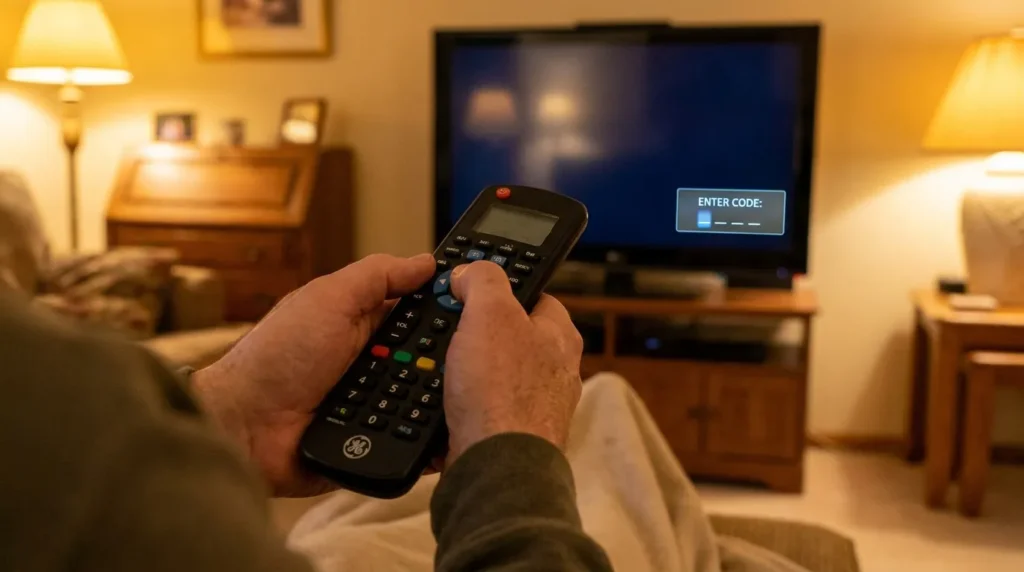
How to Program a Universal Remote to an ILO TV
Not sure which method your remote uses? Try Method 1 first. If that doesn’t work, Method 2 (auto scan) will find the code automatically. You can also use our remote code finder tool to quickly locate the right code for your specific remote model.
Method 1 — Manual Code Entry
This is the fastest method when you have a code list ready.
- Turn on your ILO TV manually.
- Point your universal remote at the TV.
- Press and hold the TV button on the remote until the indicator light stays on.
- Enter the 4-digit (or 5-digit) code using the number buttons.
- If the TV turns off — the code worked. Press Power to turn it back on and test other buttons.
- If the TV doesn’t respond, repeat from Step 3 with the next code on the list.
Method 2 — Auto Search / Code Scan
Use this if none of the manual codes work, or if you don’t have a code list.
- Turn on your ILO TV.
- Press and hold the Setup button on your universal remote until the light blinks twice.
- Press 9-9-1 (on most GE and RCA remotes).
- Point the remote at the TV and press the Power button repeatedly — one press per second.
- When the TV turns off, stop pressing Power.
- Press Enter or OK to save the code.
- Test the volume and channel buttons to confirm full function.
Method 3 — Brand Scan
Some remotes let you scan by TV brand directly.
- Turn on the TV.
- Press and hold Setup until the light blinks twice.
- Enter the brand code for ILO (varies by remote — check your remote’s brand code list, ILO is sometimes listed under “ILO” or “iLo”).
- Press Channel Up slowly, one press every two seconds.
- Stop when the TV responds.
- Press Enter to lock the code.
If you’re unsure which buttons on your remote do what, the remote control button explainer tool can help you identify each function.
ILO Remote Codes Not Working — Fixes
Tried every code and nothing works? Go through this checklist before giving up.
1. Check the batteries. Weak batteries cause incorrect IR signals. Replace with fresh AA or AAA batteries and retry.
2. Confirm line of sight. Universal remotes need a clear path to the TV’s IR sensor. Remove anything blocking the front of the TV.
3. Try all codes in the list. One missed code is often the problem. Go through the entire list systematically — don’t skip.
4. Check the remote mode. Make sure your remote is in TV mode, not DVD or AUX mode. The device button (TV/DVD/AUX) must be set correctly before entering codes.
5. Use the auto scan. If manual codes consistently fail, Method 2 (auto scan) will cycle through thousands of codes automatically. It takes 2–5 minutes but finds codes that aren’t in standard lists.
6. Try a different universal remote brand. Not every remote brand covers every discontinued TV. If your current remote fails entirely, try a GE or RCA — both have broad ILO coverage.
If you’re seeing error messages on-screen during setup, the TV error code lookup tool can help you diagnose what’s happening.
Best Replacement Remote for ILO TV
If you’ve exhausted every code and method, a dedicated replacement remote is the cleanest fix.
Look for a universal TV remote that explicitly lists ILO or covers early 2000s budget TV brands. GE and RCA models under $15 on Amazon cover ILO in their databases and work out of the box with the codes listed above.
A universal TV remote compatible with ILO is the most reliable long-term solution — especially since ILO’s original remotes are no longer manufactured and used units are often unreliable.
Before buying, use the universal remote compatibility checker to confirm which remotes work with your specific ILO model.
Setting Up Your ILO TV After Pairing
Once your remote is working, it’s a good time to do a full TV setup. The TV setup checklist walks you through picture settings, input configuration, and antenna connection in one place.
If you’re also looking to pick up free over-the-air channels on your ILO TV, the local channels availability checker shows which channels are available at your address.
ILO TV Remote Codes — Quick Reference Table
| Remote Brand | Codes |
|---|---|
| GE | 0054, 0093, 0102, 0144, 0178, 0227, 0463, 0490 |
| RCA (4-digit) | 1054, 1093, 1144, 1227 |
| RCA (5-digit) | 10054, 10093, 11144, 11227, 10463 |
| Philips | 0054, 0144, 0463, 0178, 0227 |
| One For All | 0054, 0093, 0144, 0463, 0178 |
| Chunghop | 054, 093, 144, 178 |
| DirecTV | 10054, 10093, 11144 |
| DISH | 505, 627, 720 |
| Comcast Xfinity | 11144, 10054, 10463 |
ILO TVs are old hardware, but they still work — and a universal remote keeps them functional without hunting down a rare original. Start with the GE codes, use the auto scan as your backup, and if all else fails, a $10–$15 universal remote gets the job done cleanly.


