

Lost your Sanyo remote? The fastest fix is a universal remote with the right code. The most common Sanyo TV universal remote code is 049 (3-digit), 0049 or 0180 (4-digit), and 10154 or 11447 (5-digit). Enter one of those first. If it doesn’t work, run through the full list below — there are dozens of valid codes depending on your remote brand and Sanyo model.
This guide covers every major remote brand, all three code formats, and three programming methods. It also includes codes for Sanyo soundbars, DVD players, and Blu-ray players — plus a troubleshooting section if nothing works.
What Are Sanyo Universal Remote Codes?
A universal remote comes pre-loaded with an IR (infrared) code library. That library contains thousands of signal patterns — one for each device brand it supports. When you enter a code for Sanyo, you’re telling the remote which signal pattern to use.
Different remote brands use different code databases. That’s why a GE remote and a Philips remote don’t share the same Sanyo code. The number itself maps to a specific IR signal set inside that remote’s firmware.
3-Digit vs 4-Digit vs 5-Digit — Which Do You Need?
Check the back of your remote or the packaging. Most GE and Philips remotes made after 2010 use 4-digit codes. Older RCA remotes use 3-digit codes. Comcast, DirecTV, and Spectrum remotes typically use 5-digit codes. If you’re not sure, try a 4-digit code first — it covers the widest range of current Sanyo TVs.
Complete Sanyo TV Universal Remote Codes
3-Digit Sanyo Universal Remote Codes
These work with older RCA, GE CL3, and some Philips remotes.
| Code | Notes |
|---|---|
| 049 | Most common — try this first |
| 050 | Works on several older Sanyo LCD models |
| 054 | Sanyo CRT and older flat panel |
| 077 | Secondary Sanyo code |
| 082 | Less common, newer models |
| 096 | Backup code |
| 113 | Works on some Sanyo/Fisher combos |
| 172 | Alternate for slim panel models |
4-Digit Sanyo Universal Remote Codes
These work with GE CL4/CL5, Philips, One For All, Onn, and Blackweb remotes.
| Code | Notes |
|---|---|
| 0049 | Start here |
| 0050 | Common alternative |
| 0054 | Older Sanyo LCD |
| 0077 | Works on many Sanyo flatscreens |
| 0180 | Confirmed working on FW-series models |
| 0205 | Newer models |
| 0206 | Alternate |
| 0463 | Sanyo LCD TV |
| 0474 | Sanyo flat panel |
| 1004 | Some universal remote brands |
| 1326 | Works on select Sanyo/Funai models |
| 1334 | Newer Sanyo HDTV |
| 1866 | GE CL5 verified |
| 4037 | Backup |
5-Digit Sanyo Universal Remote Codes
These work with Comcast, Xfinity, DirecTV, Spectrum, and AT&T U-verse remotes.
| Code | Notes |
|---|---|
| 10154 | Most widely used 5-digit Sanyo code |
| 11447 | Second most common |
| 10159 | Sanyo LCD flat panel |
| 10165 | Older Sanyo models |
| 10764 | Works on many Sanyo flat panel TVs |
| 11886 | Confirmed Sanyo |
| 12183 | Newer Sanyo models |
| 12339 | Alternate |
| 10163 | Backup |
| 11204 | Some Sanyo HDTV units |
Codes by Remote Brand
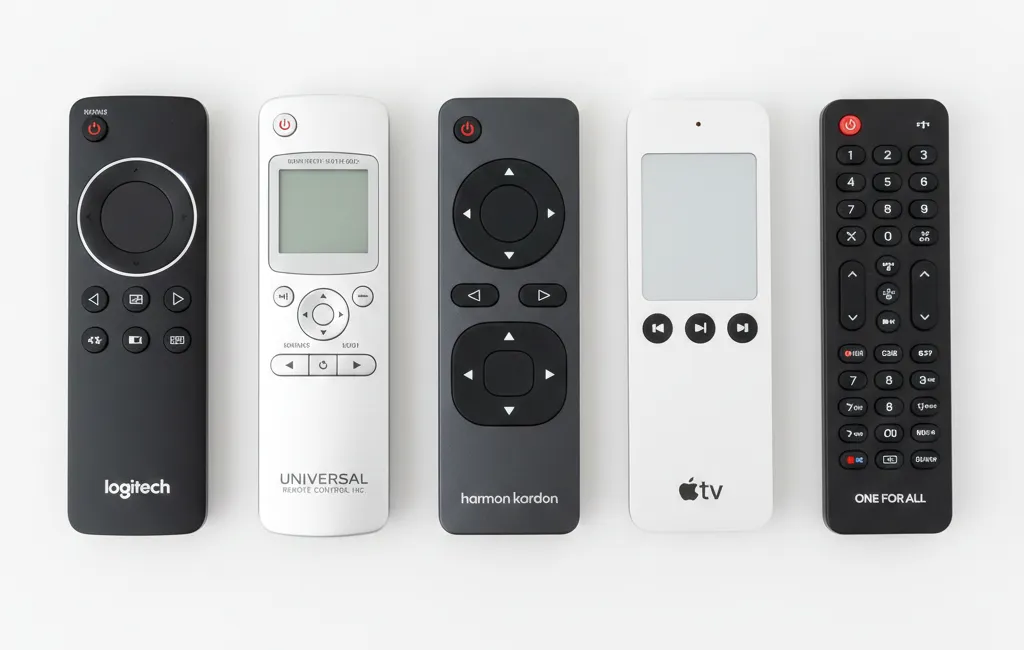
GE Universal Remote Codes for Sanyo TV
GE remotes (manufactured by Jasco) use different code lists depending on the version: CL3, CL4, CL5, or CL6. Check your model number on the back of the remote. For a complete breakdown of GE remote versions and programming methods, see our full GE universal remote codes guide.
CL3 (3-digit): 049, 050, 054, 077, 082, 096 CL4 (4-digit): 0049, 0050, 0054, 0180, 0205 CL5 (4-digit): 1866, 0049, 0180, 1334 CL6 (4-digit): 0049, 0180, 1866, 4037
Start with 0049. If the TV doesn’t respond, move down the list.
RCA Universal Remote Codes for Sanyo TV
049, 050, 054, 077, 082, 096, 113, 172
RCA remotes mostly use 3-digit codes on older models and 4-digit codes on newer ones. Start with 049. Our dedicated RCA universal remote codes page has the full device list if you’re also programming other brands.
Philips Universal Remote Codes for Sanyo TV
0049, 0180, 0054, 0474, 0463, 1004, 1326
Philips remotes made by Jasco follow the same CL system as GE. The codes are often identical. Start with 0049. See also: ByJasco universal remote codes for the full Jasco-manufactured remote database.
One For All Remote Codes for Sanyo TV
0049, 0054, 0180, 0205, 0474, 1334, 4037
One For All remotes use the MAGIC button to enter setup mode. Start with 0049. For the complete One For All setup process and full device codes, visit our One For All universal remote codes guide.
Onn Universal Remote Codes for Sanyo TV
0049, 0180, 0054, 1334, 1866, 0463
Onn remotes (sold at Walmart) follow the GE CL5 format. Start with 0049.
Blackweb Remote Codes for Sanyo TV
0049, 0180, 1334, 0205, 4037
Blackweb remotes also use 4-digit codes. For more Blackweb device codes and setup instructions, check our Blackweb universal remote codes guide. Start with 0049.
Comcast / Xfinity Remote Codes for Sanyo TV
10154, 11447, 10159, 10764, 11886, 12183
Xfinity XR2, XR5, and XR11 remotes all use 5-digit codes. Start with 10154.
DirecTV Remote Codes for Sanyo TV
10154, 11447, 10165, 10764, 11204, 12339
Works on Genie and non-Genie DirecTV remotes. Start with 10154.
Spectrum Remote Codes for Sanyo TV
10154, 11447, 10163, 10764, 12183
Spectrum/Charter remotes use 5-digit codes. Start with 10154. For the complete Spectrum remote programming guide and full device code library, see our Spectrum universal remote codes page.
How to Program a Universal Remote to a Sanyo TV
Method 1 — Manual Code Entry (Most Common)
This works on GE, RCA, Philips, One For All, Onn, and Blackweb remotes.
- Turn on your Sanyo TV manually.
- Point the remote at the TV’s IR sensor (usually front center or bottom-right).
- Press and hold the Setup button until the LED light stays on solid. (Some remotes use a Code Search or Magic button instead.)
- Press the TV button once.
- Enter your 3, 4, or 5-digit code using the number buttons.
- If the code is accepted, the LED will blink twice and turn off.
- Press Power. If the TV turns off, the code worked.
- Press Power again to turn it back on, then test Volume and channel buttons.
If the TV doesn’t respond to the Power button in step 7, the code is wrong. Repeat from step 3 with the next code on the list.
Method 2 — Auto Code Search (No Code Needed)
Use this if you’ve tried all the codes and none work.
- Turn on your Sanyo TV.
- Press and hold Setup until the LED stays on.
- Press the TV button.
- Press and hold the Power button on the remote. Keep holding it.
- The remote will cycle through its code library automatically — sending one code per second.
- The moment your TV turns off, release the Power button immediately.
- Press Enter or Setup to save the code.
- Test all buttons.
This can take anywhere from 10 seconds to a few minutes depending on the remote’s library size.
Method 3 — Brand Code Search
Some remotes let you search by brand name instead of scrolling through codes.
- Press and hold Setup until the LED is solid.
- Press 9, then 5 (or follow your remote’s brand search sequence — check your manual).
- Use the channel up button to scroll through brands until the TV responds.
- Press Power to confirm.
Not all remotes support this method. GE CL5 and CL6 remotes are the most reliable for it.
Sanyo Codes for Other Devices
If you’re also trying to control other TV brands with your universal remote, we have dedicated code guides for Hisense TVs, Vizio TVs, Sony TVs, and Samsung TVs.
Sanyo Soundbar Universal Remote Codes
Sanyo soundbars are often coded under “Audio” or “Sound Bar” in the remote’s library. If you’re also setting up a Bose audio device, see our Bose universal remote codes guide.
4-digit codes: 0660, 0675, 1037, 1115, 1260, 1271, 0854 5-digit codes: 11547, 31517, 20060, 21517
Sanyo DVD Player Universal Remote Codes
3-digit: 067, 091, 108 4-digit: 0067, 0091, 0399, 0408, 0415 5-digit: 20060, 21517, 10060
Sanyo Blu-Ray Player Universal Remote Codes
4-digit: 0672, 1067, 1115, 0854 5-digit: 21517, 31517, 20060
Troubleshooting — Code Isn’t Working
The LED Flashes Rapidly or Blinks 3+ Times
That’s a rejection signal. The code you entered doesn’t exist in that remote’s library, or you entered the wrong number of digits. Double-check your remote version (CL3, CL4, CL5, etc.) and make sure you’re using the right digit length.
TV Powers Off But Other Buttons Don’t Work
This is actually a partial match. The remote found a code that controls power, but the signal set doesn’t fully match your Sanyo model. Try the next code on the list — a different one will likely give full button control.
You’ve Tried Every Code and Nothing Works
Run through this in order:
- Replace the batteries. Low batteries cause inconsistent code entry.
- Confirm the TV’s IR sensor isn’t blocked or dirty.
- Try the auto code search (Method 2) — it bypasses the list entirely.
- Check if your Sanyo TV is actually branded Sanyo or a Sanyo/Funai combo — search for “Funai” codes too. You may also find success checking codes for similar budget brands like Daewoo, Dynex, or Element TVs which share overlapping IR signal sets.
- If you have a smartphone with an IR blaster (common on many Samsung and Xiaomi phones), the AnyMote or Peel Smart Remote app can control Sanyo TVs without any code entry.
- Last resort: buy a replacement Sanyo OEM remote online — they typically run $8–$15.
Frequently Asked Questions
What is the universal code for Sanyo TV?
The most universal Sanyo TV code is 049 for 3-digit remotes, 0049 for 4-digit remotes, and 10154 for 5-digit remotes. These three codes work across the widest range of Sanyo models and universal remote brands.
How do I program my Sanyo TV without a code?
Use the auto code search method. Hold the Setup button until the LED stays on, press TV, then hold the Power button. The remote cycles through its library automatically. Release Power the moment the TV shuts off, then save.
Why won’t my universal remote work with my Sanyo TV?
Three common reasons: wrong digit-length code for your remote version, dead or weak batteries, or your Sanyo TV model uses a Funai-based code set. Try the auto search method and also test Funai codes if Sanyo codes all fail. Owners of other budget TV brands like Durabrand or Zenith often run into the same issue — Funai manufactured several of these brands and their codes overlap.
Can I use my phone as a Sanyo TV remote?
Yes, if your phone has a built-in IR blaster. Apps like AnyMote, Peel Smart Remote, or Mi Remote work well. If your phone doesn’t have an IR blaster (most iPhones and newer Androids don’t), these apps won’t work unless your Sanyo TV supports Wi-Fi-based control, which most older Sanyo models do not.
Conclusion
The right Sanyo universal remote code depends on two things: your remote brand and your Sanyo device model. Start with 0049 for 4-digit remotes or 10154 for 5-digit remotes — those cover the majority of cases. If those don’t work, run through the full tables above by remote brand. If every code fails, auto code search almost always finds a working signal. And if the remote still won’t cooperate, a replacement Sanyo remote costs less than $15 and ships in two days.
For more remote code guides, check our full lists for Philips remot


