

The fastest fix for an RCA TV that won’t turn on is to unplug it from the wall for 60 seconds, hold the physical power button for 15 seconds while unplugged, then plug it back in. That single step resolves the majority of cases. If your TV still won’t respond after that, the problem sits somewhere in a short list of causes — and each one has a clear test.
This guide walks through every cause in order, from the simplest (dead outlet) to the most serious (failed power board). Work through the steps in sequence. Most people find the fix before step 5.
What’s Actually Causing This?
Before touching anything, match your symptom to the likely cause below.
| Symptom | Most Likely Cause |
|---|---|
| No standby light, no response | Dead outlet, bad power cable, or blown fuse |
| Standby light on, but won’t power up | Remote failure, stuck standby mode, or firmware freeze |
| Clicks when pressing power, then nothing | Failing power supply board |
| Screen stays black but audio works | Backlight failure (TV is actually on) |
| Powers on briefly then shuts off | Overheating or failing capacitors |
| Nothing works after a storm | Surge damage to power board |
Step 1 — Check the Power Source
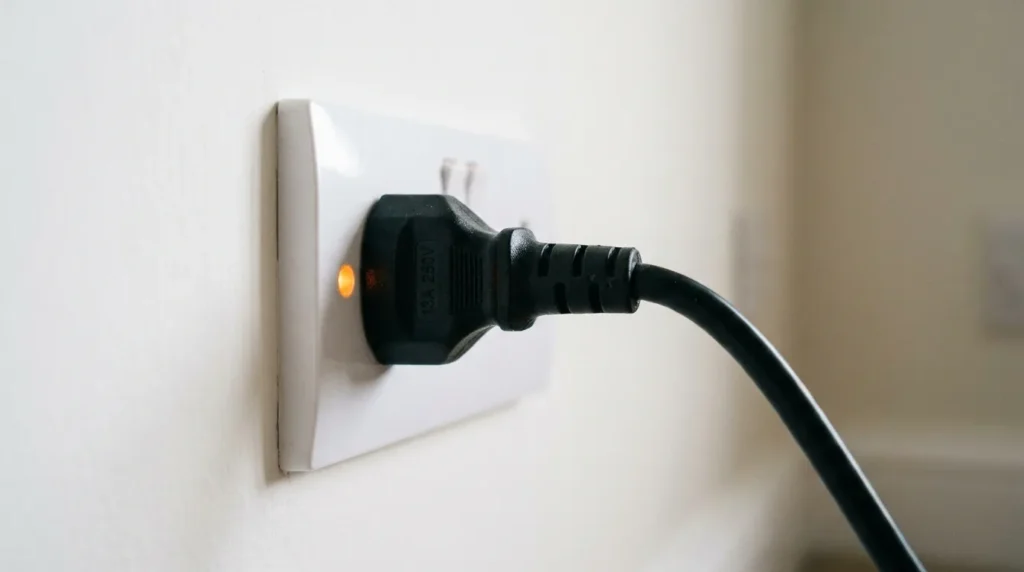
Start here. It sounds obvious, but faulty outlets and power strips cause more “dead TV” calls than any hardware failure.
Plug a lamp or phone charger directly into the same wall outlet. If that device doesn’t work, the outlet is the problem — not the TV. Try a different outlet on a separate circuit.
If you’re using a power strip or surge protector, bypass it. Plug the RCA TV directly into the wall. Power strips can fail silently, and older surge protectors stop passing power after absorbing a spike — they protect the TV, but they stop working themselves.
Inspect the power cable where it enters both the TV and the wall plug. Look for bent pins, scorch marks, or a loose fit. A cable that wiggles in the port is making intermittent contact.
One more check: look at the back of the TV for a small red standby LED. If it glows red or amber, the TV has power — the problem is in powering up, not in power delivery. Move to Step 2. If there’s zero light at all, stay on the power source until you’ve confirmed the outlet and cable are good.
Step 2 — Rule Out the Remote Control
Your RCA TV’s remote communicates via infrared. That signal can fail while the TV itself is perfectly fine.
Press the physical power button directly on the TV chassis — not the remote. This button is usually on the bottom edge, right side panel, or back panel depending on the model. Hold it for 3 seconds.
If the TV powers on, the problem is the remote. Replace the batteries first. If new batteries don’t fix it, point the remote at your smartphone’s front-facing camera and press any button. A working IR blaster shows a purple-white flicker on your phone screen. No flicker means the remote is dead.
If the TV doesn’t respond to the physical button either, the issue is inside the TV. Keep going.
Step 3 — Perform a Full Power Reset
This is the most effective single fix for RCA TVs frozen in a bad state.
Soft Reset (do this first):
- Unplug the TV from the wall — not just turn it off
- While unplugged, press and hold the physical power button on the TV for 15 seconds
- Release the button
- Wait a full 60 seconds
- Plug back into the wall
- Press power
The 15-second button hold drains any residual charge from the capacitors. That’s what actually clears the frozen state — the waiting alone won’t do it.
Hard Reset (if soft reset fails): Some RCA models have a pinhole reset button on the back panel. Press it with a straightened paperclip for 10 seconds while the TV is plugged in. This forces a factory reset. Note: you’ll lose saved settings and paired devices.
If you’ve reached a point where you need to access deeper reset or diagnostic options, the RCA TV service menu codes can help you navigate internal settings that aren’t accessible from the standard menu.
Step 4 — Test for Backlight Failure vs. No Power
This step separates two very different problems that look identical from the outside.
A TV with a failed backlight is actually on — it’s displaying a picture you can’t see. A TV with no power is completely dead.
The flashlight test:
- Turn off all room lights
- Power on the TV (or attempt to)
- Hold a flashlight at a sharp angle against the screen — roughly 2 inches from the surface
- Look for a faint image or text visible under the light
If you can see a dim image, the TV is working. Only the backlighting has failed. This is a separate repair from a power issue — the LED backlight strips or inverter board need replacement, not the power supply.
If you see nothing at all under the flashlight, the TV isn’t producing a signal. The problem is upstream — power board, main board, or firmware. See also our full guide on fixing a TV with no picture for a broader look at display faults.
For RCA Roku TV models specifically, a dark TV screen can also be triggered by picture mode settings that survive a power cycle — worth checking if your flashlight test shows a faint image.
Step 5 — Inspect the Power Board (Advanced)
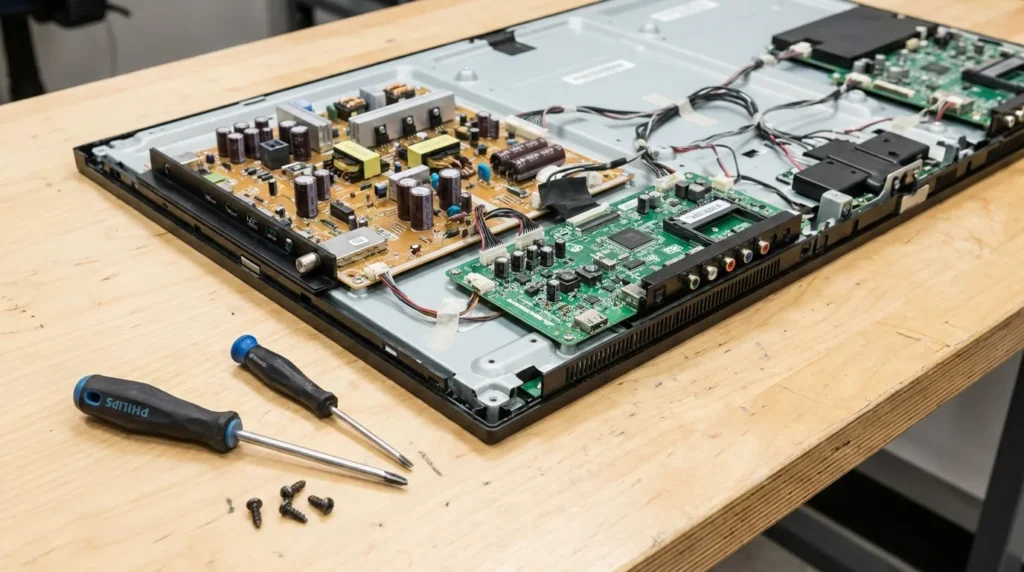
If the TV clicks when you press power but won’t start, or if it powers on briefly then dies, the power supply board is the most likely failure point.
You don’t need a multimeter for the first check. Remove the back panel (10–12 screws on most RCA models) and look at the capacitors — the small cylindrical components standing upright on the board. Healthy capacitors have flat tops. Failed capacitors have tops that are visibly bulged, domed, or cracked. Some leak brown residue around the base.
Replacing capacitors costs $5–$15 in parts. A replacement power supply board for most RCA models runs $20–$45 on eBay or Amazon (2026 pricing). If you’re not comfortable with soldering, a TV repair technician typically charges $60–$120 for this repair.
One important note: discharge the capacitors before touching anything. Keep the TV unplugged for at least 10 minutes before opening the back panel. Large filter capacitors can hold charge long after the TV is unplugged.
Similar power board failures are common across budget TV brands — if you’ve dealt with this on another set, our Toshiba TV won’t turn on and TCL TV not turning on guides cover the same diagnostic logic.
Step 6 — Check for HDMI-CEC Conflicts
HDMI-CEC is a feature that lets connected devices control your TV’s power state. A game console, streaming stick, or AV receiver sending bad CEC signals can prevent the TV from turning on — or shut it off immediately after it powers up.
Unplug every HDMI cable from the TV. Try powering it on with nothing connected. If it starts up, plug your HDMI devices back in one at a time to identify which one is sending the bad signal.
To disable HDMI-CEC on RCA TVs: go to Settings → System → HDMI Settings → CEC and turn it off. The feature may be labeled “HDMI Control” depending on firmware version.
If your RCA TV uses Roku built-in, the CEC setting is under Settings → System → Control other devices (CEC).
Step 7 — Factory Reset Without a Remote
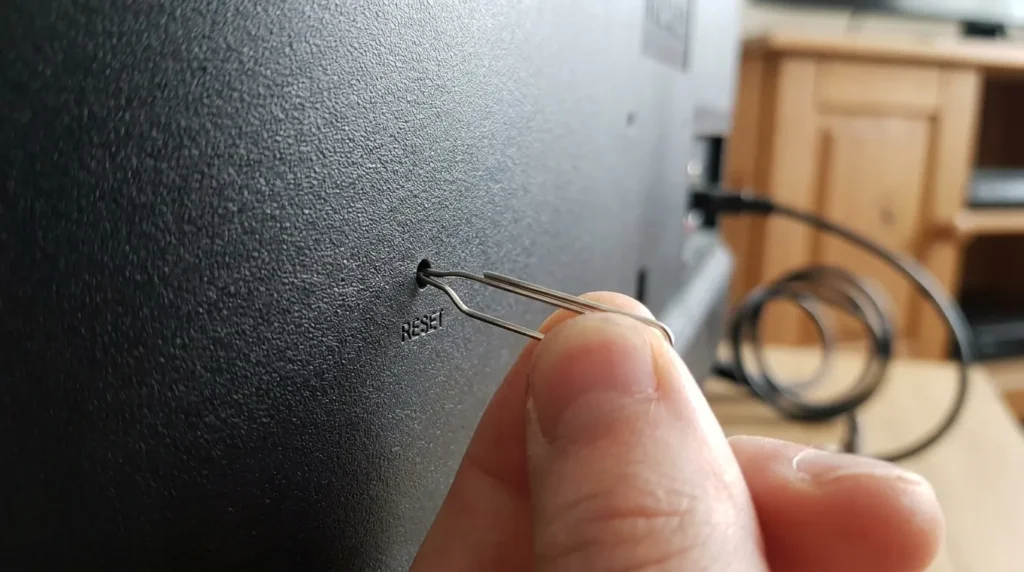
If the TV turns on but gets stuck in a boot loop or frozen state, a factory reset often resolves it.
Method 1 — Pinhole reset button: Located on the back panel. Press and hold for 10–15 seconds with a paperclip while the TV is plugged in.
Method 2 — Button combination (varies by model): On some RCA models, hold the Volume Down + Input buttons simultaneously for 10 seconds while the TV is plugged in. This triggers a reset on models without a pinhole.
Method 3 — RCA Roku TV models: Press and hold the physical reset button on the back for 20 seconds. The Roku software will reload completely. This is different from a standard RCA factory reset and takes 3–4 minutes to complete.
If you own a Roku-based RCA TV and the remote is also unresponsive, the process for turning on a Roku TV without a remote or power button gives you additional options through the Roku mobile app.
Repair vs. Replace: 2026 Cost Reality
| Repair Type | DIY Cost | Technician Cost |
|---|---|---|
| Capacitor replacement | $5–$15 | $60–$90 |
| Power supply board swap | $20–$45 | $80–$130 |
| Backlight strip replacement | $15–$40 | $100–$160 |
| Main board replacement | $30–$80 | $120–$200 |
RCA TVs are budget-tier sets. A 55-inch RCA retails between $220–$320 in 2026. If the repair cost approaches 50% of replacement cost, buying new makes more financial sense — especially since a new TV comes with a warranty.
The exception is sentimental value or a very large screen size where replacement jumps significantly in price.
Use the TV lifespan and health estimator to get a clearer picture of whether your specific set is worth repairing based on its age and usage patterns.
If your RCA TV has recurring issues beyond just power problems — freezing, black screens, strange behavior after turning on — the TV error code lookup tool can help you decode any error indicators and identify the root cause before spending money on parts.
Frequently Asked Questions
Why does my RCA TV have a standby light but won’t turn on?
The standby light confirms the TV is receiving power. The problem is in the startup sequence — either a stuck firmware state, a failing power supply that can’t deliver full startup voltage, or a remote signal issue. Start with a full power reset (Step 3) before opening the TV.
My RCA TV turns on for 2 seconds then shuts off — what’s wrong?
This almost always points to failing capacitors on the power board or an overheating protection circuit triggering. Open the back panel and visually inspect the capacitors for bulging. Also check that the TV has at least 4 inches of clearance on all sides for airflow.
Can a power surge permanently kill an RCA TV?
Yes. A direct surge can burn out the power supply board and sometimes the main board. Check the power board visually for burn marks. If the surge protector you were using is older than 3 years, it may have already sacrificed its protection capacity on a previous spike — replace it regardless.
How do I reset my RCA TV without a remote?
Use the pinhole reset button on the back panel with a paperclip (hold 10–15 seconds), or try the Volume Down + Input button combination on the TV chassis. RCA Roku TV models respond to the Roku mobile app as a remote alternative.
Is it worth repairing an RCA TV that won’t turn on?
It depends on the fault. A capacitor replacement at $10–$15 in parts is almost always worth it. A full main board replacement on a 4-year-old budget TV usually isn’t. Compare the repair cost against a new set — RCA 55-inch TVs start around $250 in 2026.
Final Thought
Most RCA TVs that won’t turn on have either a power source problem or a stuck firmware state — both fixable in under 10 minutes without opening the TV. Work through steps 1 through 3 before assuming hardware failure. If you do reach the hardware stage, a visual capacitor inspection takes 5 minutes and tells you exactly where you stand.
If you’ve gone through every step here and the TV still won’t respond, the main board has likely failed. At that point, the cost math almost always points toward replacement over repair.


