

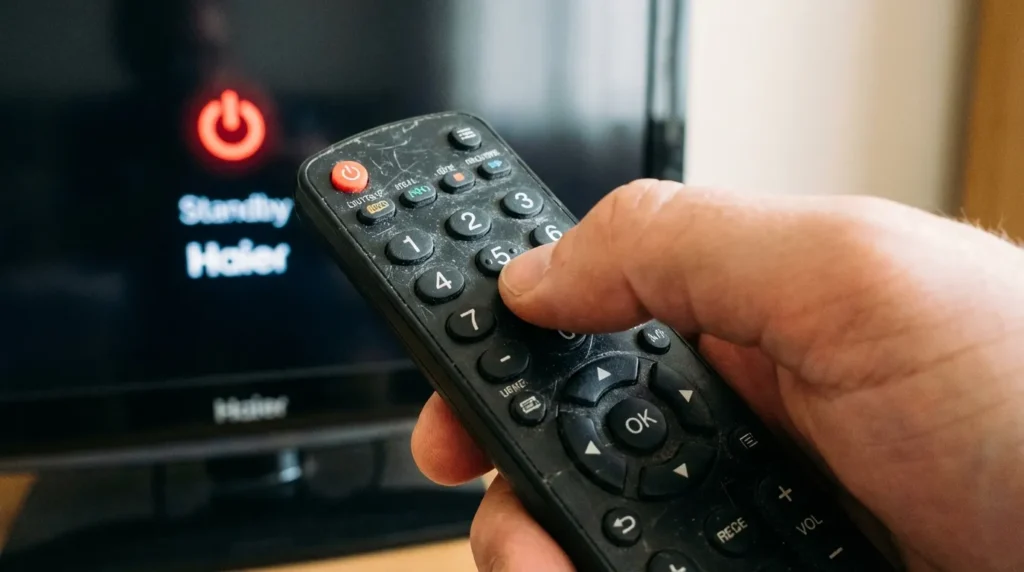
Lost your Haier remote? The fastest fix is a universal remote. You just need the right code. Below you’ll find every working code for Haier TVs — organized by digit length and by remote brand — plus step-by-step programming instructions and troubleshooting if nothing works on the first try.
Not sure which universal remote is compatible with your Haier TV? Use the universal remote compatibility checker to find out before you start.
Haier TV Remote Codes by Digit Length
Most universal remotes use 4-digit codes. Some older models use 3-digit, and certain cable/satellite remotes require 5-digit codes. Start with the format your remote supports.
3-Digit Codes for Haier TV
| Code |
|---|
| 081 |
| 216 |
| 505 |
| 506 |
| 512 |
| 515 |
| 523 |
| 640 |
| 718 |
| 844 |
| 498 |
| 500 |
4-Digit Codes for Haier TV
| Code |
|---|
| 0081 |
| 0094 |
| 0123 |
| 0157 |
| 0216 |
| 0217 |
| 0671 |
| 0810 |
| 0861 |
| 0921 |
| 0935 |
| 1147 |
| 1161 |
| 1741 |
| 2141 |
| 3831 |
5-Digit Codes for Haier TV
| Code |
|---|
| 11748 |
| 11749 |
| 11753 |
| 11570 |
| 12293 |
| 12309 |
| 13204 |
| 13382 |
| 14398 |
| 10171 |
| 10463 |
| 10178 |
Start with 0081 or 0217 if you’re unsure — these two work across the widest range of Haier TV models and universal remote brands. If you want to look up codes for a specific remote model, the remote code finder tool can save you time.
Haier TV Codes by Universal Remote Brand
Different remote brands use different code databases. Find your remote brand below and use only those codes.
GE Universal Remote Codes for Haier TV
GE remotes (including CLx series) support both 4-digit and 5-digit code entry. For the full GE programming guide, see our GE universal remote codes page.
| Code |
|---|
| 0081 |
| 0216 |
| 0217 |
| 0157 |
| 0671 |
| 0861 |
| 0921 |
| 0935 |
| 1147 |
| 1161 |
| 1741 |
| 2141 |
| 3831 |
| 5078 |
| 5120 |
| 5139 |
| 5307 |
| 5321 |
| 5380 |
| 5409 |
| 5432 |
| 6141 |
| 6151 |
| 4851 |
Best code to try first: 0081
RCA Universal Remote Codes for Haier TV
RCA remotes use 4-digit and 5-digit formats depending on the model. See our full RCA universal remote codes guide for model-specific instructions.
| Code |
|---|
| 1034 |
| 1570 |
| 1748 |
| 1749 |
| 2293 |
| 2309 |
| 3382 |
| 4398 |
| 11748 |
| 11749 |
| 11753 |
| 11570 |
| 12293 |
| 12309 |
| 13204 |
| 13382 |
| 14398 |
Best code to try first: 1748
Philips Universal Remote Codes for Haier TV
| Code |
|---|
| 0223 |
| 0317 |
| 0323 |
| 0709 |
Best code to try first: 0223
Need codes for other devices on your Philips remote? Check the full Philips universal remote codes list.
One For All Universal Remote Codes for Haier TV
One For All remotes (including URC7145 Evolve 4, URC6440 Simple 4, URC1280 Contour 8) use standard 4-digit entry. For model-specific setup steps, visit our One For All universal remote codes guide.
| Code |
|---|
| 0081 |
| 0157 |
| 0216 |
| 0217 |
Best code to try first: 0081
Comcast / Xfinity Remote Codes for Haier TV
Xfinity XR2, XR5, and XR11 remotes use 5-digit codes. For the full Xfinity setup walkthrough, see our Comcast Xfinity universal remote codes page.
| Code |
|---|
| 11756 |
| 12434 |
| 10463 |
| 10171 |
| 10178 |
Best code to try first: 11756
For XR15 remotes: use the Xfinity app to program your remote, or say “program remote” into the voice button.
Spectrum Remote Codes for Haier TV
| Code |
|---|
| 0081 |
| 0216 |
| 0217 |
| 1147 |
| 1877 |
Best code to try first: 0081
For Spectrum-specific programming steps and additional device codes, see our Spectrum universal remote codes guide.
DirecTV Remote Codes for Haier TV
DirecTV RC73 and RC71 remotes use 5-digit codes exclusively.
| Code |
|---|
| 10463 |
| 10171 |
| 11756 |
| 10178 |
| 12049 |
Best code to try first: 10463
Dish Network Remote Codes for Haier TV
| Code |
|---|
| 505 |
| 627 |
| 720 |
| 739 |
Best code to try first: 505
ONN Universal Remote Codes for Haier TV
ONN remotes are sold at Walmart and are becoming increasingly common. They use 4-digit and 5-digit codes. For ONN codes covering other TV brands, see our ONN universal remote codes page.
| Code |
|---|
| 0081 |
| 0216 |
| 0217 |
| 0157 |
| 1147 |
Best code to try first: 0081. If that doesn’t work, run the auto-scan method described below — ONN remotes have a reliable code-search function.
How to Program a Universal Remote to a Haier TV
Method 1 – Direct Code Entry
This is the standard method. Use it if you have a code from the lists above.
- Turn on your Haier TV manually using the power button on the TV itself.
- Install fresh AAA batteries in your universal remote.
- Point the remote directly at the TV’s IR sensor (usually on the bottom center or bottom right of the screen).
- Press and hold the Setup button until the indicator light on the remote turns on and stays lit.
- Press the TV button once. The light may blink and then stay on.
- Enter your 3, 4, or 5-digit code using the number keys.
- After the last digit, the indicator light will turn off — this means the code was accepted.
- Press the Power button. If your Haier TV turns off, the code works.
- Turn the TV back on and test the volume and channel buttons to confirm full functionality.
If the TV doesn’t respond to the Power button, the code didn’t take. The indicator light will blink several times instead of turning off. Enter the next code on the list and repeat from step 6.
Not sure what a button on your remote actually does? The remote control button explainer breaks down every key by remote type.
Method 2 – Auto Code Search (No Code Needed)
Use this if you don’t have a code or none of the codes above work.
- Turn on your Haier TV.
- Press and hold the Setup button until the indicator light turns on.
- Press the TV button once.
- Press Power on the remote. The remote will begin scanning through its internal code database.
- Press the Channel Up button repeatedly — once per second. The remote sends a Power-off command with each press.
- Stop the moment your Haier TV turns off.
- Press Setup once to lock in the code.
- Test with volume and channel buttons.
This method cycles through hundreds of codes. It can take 2–3 minutes. Don’t rush the channel presses.
Method 3 – Manual Scan (Hold-to-Scan)
Some remotes support a hold-to-scan approach that’s slightly faster.
- Turn on your Haier TV.
- Hold the OK/Select and TV buttons together for 5 seconds until the light blinks twice.
- Point the remote at the TV and press Power repeatedly until the TV turns off.
- Press OK/Select to save.
Not all universal remotes support this method. Check your remote’s manual to confirm.
Troubleshooting – When Your Universal Remote Won’t Work
You Entered the Code but the TV Isn’t Responding
The most likely cause is a wrong code. The code lists above cover most Haier models, but some older or regional Haier TVs use different code sets. Try every code in your remote brand’s section before moving on to auto-scan.
Also check:
- Is the TV actually on? Sounds obvious, but a TV in deep sleep mode won’t respond the same way.
- Are you within 10 feet of the TV? IR signals weaken at distance.
- Is anything blocking the line of sight between the remote and the IR sensor?
If you’re seeing an error on screen, the TV error code lookup tool can help identify what the TV is reporting.
How to Reset the Haier TV Remote
If your original Haier remote is acting erratically — buttons sticking, delayed response, phantom inputs — a reset usually fixes it.
- Remove the batteries from the back of the remote.
- Hold the Power button down for 25 seconds.
- Press and release every button on the remote one by one.
- Reinsert the batteries.
The remote should function normally after this.
How to Reset the TV If It Won’t Respond to Any Remote
This fixes IR receiver lockups, which occasionally happen after firmware updates or power surges.
- Turn the TV off.
- Unplug the power cable from the wall — not just standby, fully unplugged.
- Hold the physical Power button on the TV body for 30 seconds.
- Release, wait 60 seconds, then plug back in.
- Power the TV on manually and re-test your remote.
IR vs Bluetooth – Does Your Remote Type Matter?
Yes. Haier TVs use infrared (IR) receivers. Standard universal remotes — GE, RCA, Philips, One For All — all use IR and will work fine.
Some newer Xfinity XR15 and DirecTV RC73 remotes can switch between IR and RF (radio frequency) modes. If your remote is set to RF mode, it won’t control your Haier TV because Haier TVs don’t have RF receivers. Switch the remote to IR mode using your cable/satellite provider’s pairing tool.
Bluetooth remotes — like those that come with newer smart TVs or gaming devices — will not work with Haier TVs through universal remote codes at all.
Control Your Haier TV Without Any Remote
Use the Haier TV Remote App
Haier offers an official remote app for Android and iOS. It connects over your home Wi-Fi network and replicates all remote functions — power, volume, input, settings.
Search “Haier TV Remote” in the Google Play Store or Apple App Store. Your Haier TV and your phone must be on the same Wi-Fi network.
This is the fastest backup option if you’re waiting for a replacement remote to arrive.
Use the Physical Buttons on the TV
Every Haier TV has a set of physical control buttons on the chassis — usually on the bottom edge or the back panel. You can use them to:
- Power the TV on and off
- Adjust volume
- Switch inputs
- Access the basic menu
They won’t give you full control, but they’re enough to navigate to the settings and pair a new remote. If you’ve just set up your Haier TV and want to make sure everything is configured correctly, the TV setup checklist walks through every step.
Frequently Asked Questions
What is the most common universal remote code for Haier TV? The code 0081 works with the largest number of Haier TV models and is compatible with GE, One For All, Spectrum, and several other remote brands. Try it first.
Can I use a Comcast Xfinity remote with a Haier TV? Yes. Xfinity XR2, XR5, and XR11 remotes all support Haier TV. Use code 11756 for most models. XR15 remotes should be programmed through the Xfinity app.
Why does my universal remote work for volume but not channels? This typically means you have a partial code match — the code you entered controls some Haier functions but not all. Try the next code on the list for your remote brand.
Does Haier make its own universal remote? Some Haier remotes shipped with older TVs do support universal programming via Set and Mode buttons. Check the back of your remote — if those two buttons are present, it has universal functionality.
My code worked once but stopped working. What happened? The remote likely lost its programming after a battery swap. Re-enter the code following Method 1 above. This is normal — most universal remotes reset to default when batteries are fully removed.
Is there a universal remote that works with all Haier TV models? The GE 4-device universal remote and One For All Evolve 4 both have Haier in their code databases and work reliably across the widest range of Haier LED and LCD models sold since 2015.
Looking for codes for a different TV brand? We have full programming guides for Hisense TV remote codes, Samsung TV remote codes, Sony TV remote codes, and LG TV universal remote codes.


