

Lost your Sharp TV remote? You don’t need to buy a replacement from Sharp directly. Almost every universal remote on the market — GE, RCA, Comcast, Spectrum, One For All, and Philips — can be programmed to control your Sharp TV in minutes.
This guide has every Sharp TV remote code you need, organized by remote brand so you’re not scrolling through hundreds of numbers to find the right one. You’ll also find step-by-step programming instructions and a troubleshooting section for when a code refuses to work.
Quick Answer: The most commonly working Sharp TV codes are 0093 (4-digit) and 10093 (5-digit). These work across GE, Comcast, One For All, and RCA remotes. If those fail, use the auto-scan method covered below.
Not sure which remote brand you need codes for? Use the Universal Remote Compatibility Checker to find the best match for your Sharp TV model before you start.
Sharp TV Universal Remote Codes by Remote Brand
The tables below are organized by remote brand. Find your remote, try the first code listed, and work down the list if it doesn’t work. Start with 4-digit codes if your remote accepts them — they tend to be more model-specific and accurate than 3-digit codes.
GE Universal Remote Codes for Sharp TV
GE universal remotes are one of the most widely used in North America. Try these codes:
3-digit: 078, 063, 081, 123, 020, 009, 004, 006, 012, 095, 029, 112, 113, 111, 171, 173, 122
4-digit: 0009, 0123, 0079, 0004, 0020, 0081, 0063, 3191, 5341, 2891, 5421, 3181, 1741, 0341, 3201, 2731, 0461, 0691, 0681, 1291, 1211, 2031, 1441, 3461, 2261, 4991, 4751, 6001, 6011, 5941, 6171, 6251
5-digit: 10093, 10178, 10093, 11756, 12183
One For All Remote Codes for Sharp TV
3-digit: 019, 165, 039, 036, 093, 153, 179, 157, 189, 220
4-digit: 0093, 0386, 0688, 0412, 0653, 1423, 1193, 0157, 1564, 1602, 1756, 1093, 1659, 1819, 2360, 2049, 2434, 2402, 2676, 2951, 3519, 3810, 3175, 3394, 4843, 4618, 0818, 3790, 2214, 2183
5-digit: 10818, 10093, 10178, 11756, 12183, 10885, 12434, 12049
See the full One For All universal remote codes guide if you need codes for other devices on the same remote.
RCA Universal Remote Codes for Sharp TV
3-digit: 005, 004, 020, 012, 006, 029, 095, 111, 026, 025, 027, 011, 052, 037, 018, 008, 083, 077
4-digit: 0093, 2360, 0818, 3519, 2402, 0688, 0178, 2183, 1756, 2434, 4398, 0689, 0885, 1602, 0706, 2049, 0851, 0491, 1007, 3183, 1004, 1009, 1010, 1006, 1026, 1012, 1095, 1029, 1111, 1040, 1013, 1457, 3720, 1182, 1015, 1204, 1023, 1158, 1078
5-digit: 10818, 10178, 10093, 12402, 12360, 12183, 11756, 12049, 13183, 10885, 13720, 13519, 14398, 11457
The complete RCA universal remote codes list covers all RCA remote models including the RCA RCRN04GR and RCRNO3B.
Comcast / Xfinity Remote Codes for Sharp TV
4-digit: 0093, 0178, 0165, 1756, 0720
5-digit: 12360, 11756, 10885, 12183, 12049, 13867, 10706, 12434, 10093, 11602, 10153, 10165, 10491, 10036, 10398, 11801, 11407, 10851, 10178, 10032, 10386, 10039, 10157, 10281, 11993, 12284, 11670, 12285, 11089, 10078, 12286
Full Comcast programming steps are covered in the Comcast Xfinity universal remote codes guide.
Spectrum Remote Codes for Sharp TV
3-digit: 004, 081, 019, 026, 705, 014, 684, 028, 387, 251, 031, 363, 268, 022, 143, 175, 236, 127, 496, 308, 735, 765, 766, 692, 027, 025, 023, 024, 016
4-digit: 0093, 2360, 1093, 2183, 0178, 1756, 2434, 0706, 2049, 1011, 1025, 1004, 1346, 1010, 1006, 1095, 2104, 1670, 1589, 1457, 1228, 1075, 1205, 1060, 1033, 1098, 1055, 1294, 1301, 1308, 1328, 1313, 1094, 1100, 1079, 1022
5-digit: 12183, 12434, 12049, 11756, 12360, 12402, 10178, 13867, 11457, 11589, 14398, 14121, 11670, 14740, 12104, 10885
Need Spectrum-specific setup steps? The Spectrum universal remote codes page has remote-by-remote programming instructions.
Philips Universal Remote Codes for Sharp TV
3-digit: 192, 063, 066, 120
4-digit: 0036, 5341, 0063, 5421, 3191, 2891, 1741, 3181, 0341, 3201, 2731, 0461, 0681, 1221, 0691, 1441, 1291, 2201, 2031, 3461, 2261, 4991, 4751, 6001, 6011, 5941, 6171, 6251, 0120, 0695, 0680, 1220, 0321, 0913, 0509, 0709, 0907, 0603, 1718
5-digit: 11957, 12669, 14972, 14545, 14346, 14447, 10764, 14248, 10065, 12561, 14254, 10163, 11764, 13450, 10005, 11837, 12210, 12859, 12957, 15605, 14058, 15801, 15703, 16007, 15909
For all Philips remote models and device codes, see Philips universal remote codes.
Magnavox Remote Codes for Sharp TV
4-digit: 0107, 0129
Magnavox remotes use a limited Sharp code set. If neither works, use the auto-scan method below. For full Magnavox programming, visit the Magnavox universal remote codes guide.
Master Code List by Digit Length
If you’re not sure which remote brand you have, use this master list organized by code length.
3-Digit Codes for Sharp TV
002, 013, 014, 111, 502, 509, 712, 812, 813, 913, 918
4-Digit Codes for Sharp TV
0039, 0093, 0165, 0178, 0386, 0688, 0706, 0818, 0851, 0885, 1004, 1009, 1011, 1025, 1064, 1077, 1078, 1081, 1093, 1097, 1099, 1153, 1157, 1274, 1298, 1311, 1312, 1362, 1375, 1378, 1423, 1602, 1756, 2049, 2183, 2360, 2402, 2434
5-Digit Codes for Sharp TV
10019, 10093, 10171, 10178, 10463, 10748, 10818, 10885, 11204, 11314, 11326, 11463, 11517, 11564, 11641, 11660, 11710, 11756, 11780, 11785, 11892, 11963, 12002, 12049, 12183, 12360, 12402, 12434
Tip: If your remote only shows a blinking light when you enter a code, that means the code was rejected. Try the next one in the list. If the light blinks twice and stays solid, the code was accepted.
How to Program a Universal Remote to a Sharp TV (Using Codes)
These steps apply to most major universal remotes including GE, RCA, Philips, and One For All. The button names may vary slightly by remote model, but the sequence is the same.
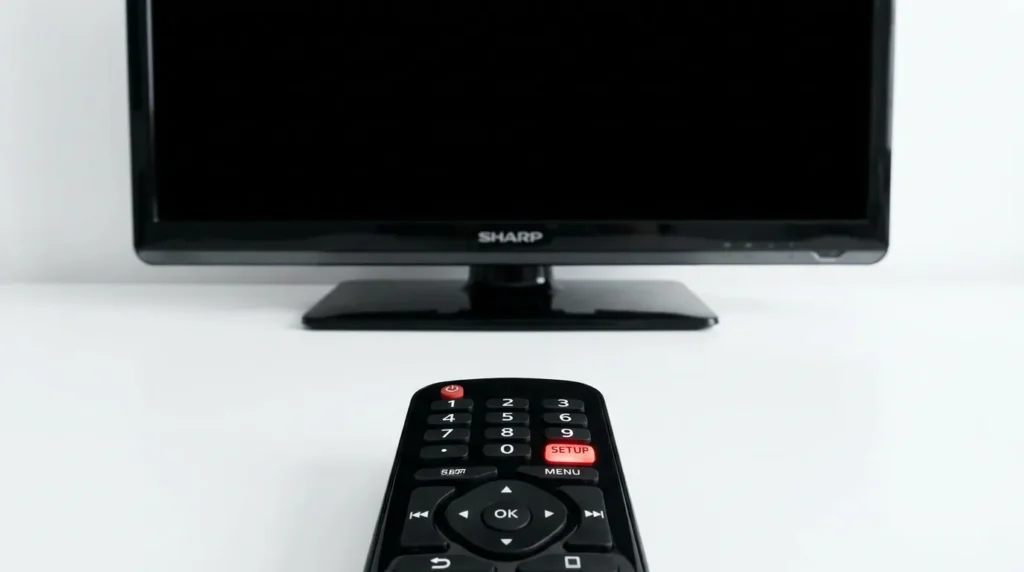
Step 1 — Turn on your Sharp TV Power on your Sharp TV manually using the button on the TV itself. Don’t use any remote for this step.
Step 2 — Enter programming mode Press and hold the Setup button on your universal remote. On some remotes this is labeled Program or Magic. Hold it until the indicator light turns on and stays solid — this means programming mode is active.
Step 3 — Press the TV button Press the TV button on the universal remote. This tells the remote you’re programming it for a TV, not a soundbar or DVD player.
Step 4 — Enter the code Using the number keypad, type in one of the codes from the tables above. Use the code list that matches your remote brand. After entering the code, the indicator light may blink or the TV may turn off — both are normal responses.
Step 5 — Test the remote Point the remote at your Sharp TV and press the Power button. If the TV turns off, the code was accepted and programming is complete. If nothing happens, repeat from Step 2 with the next code in the list.
Sharp Aquos Note: Sharp Aquos LCD TVs (LC-series models) work with codes 0093, 0178, 1077, 1078, 1097, 1099, 1004, 1009, 1011, 1025, and 1064. These are the highest-success codes for Aquos-specific models and should be tried first.
How to Program a Universal Remote to a Sharp TV Without Codes
If you’ve run through multiple codes and nothing works, use the auto-scan method. The remote cycles through its internal code database and stops automatically when it finds a match for your Sharp TV.
Step 1 — Activate programming mode Press and hold Setup (or Program/Magic) until the indicator light stays on.
Step 2 — Press the TV button Select TV to tell the remote what device it’s scanning for.
Step 3 — Point the remote at the TV and press Power Aim the remote at your Sharp TV and press the Power button. The remote sends codes one at a time. When the correct one is sent, the TV will turn off on its own. If the TV doesn’t turn off, press Power again. Repeat every 3 seconds.
Step 4 — Lock the code As soon as the TV turns off, press the TV button immediately to lock in the code. The indicator light will go out, confirming the code is saved.
Step 5 — Confirm full function Turn the TV back on manually and test the volume, channel, and input buttons. If all functions respond correctly, setup is complete.
What to Do If No Code Works
Try these steps in order before giving up:
1. Double-check your remote model number The codes above cover the most common remote models, but some remotes have model-specific code sets. Find your remote model number (usually printed on the label inside the battery compartment) and search for it directly using the Remote Code Finder tool.
2. Try alternate brands’ codes If you have a cable or satellite remote, the code database varies by provider. Spectrum remotes don’t use the same code set as Comcast remotes even though both are cable providers.
3. Use the auto-scan method If manual code entry fails entirely, the auto-scan method works for virtually every Sharp TV model — even older LC-series and Sharp Aquos sets.
4. Use your smartphone as a Sharp TV remote Download the Google TV app (available on Android and iOS). Set it up on the same Wi-Fi network as your Sharp TV and it works as a full-function remote. This requires your Sharp TV to be a smart TV with Wi-Fi connectivity.
5. Get a replacement remote If your Sharp TV original remote is physically broken or permanently lost, a universal TV remote can replace it. Look for remotes marketed as compatible with Sharp Aquos TVs — they come pre-coded and require minimal setup.
Sharp Roku TV Remote Note
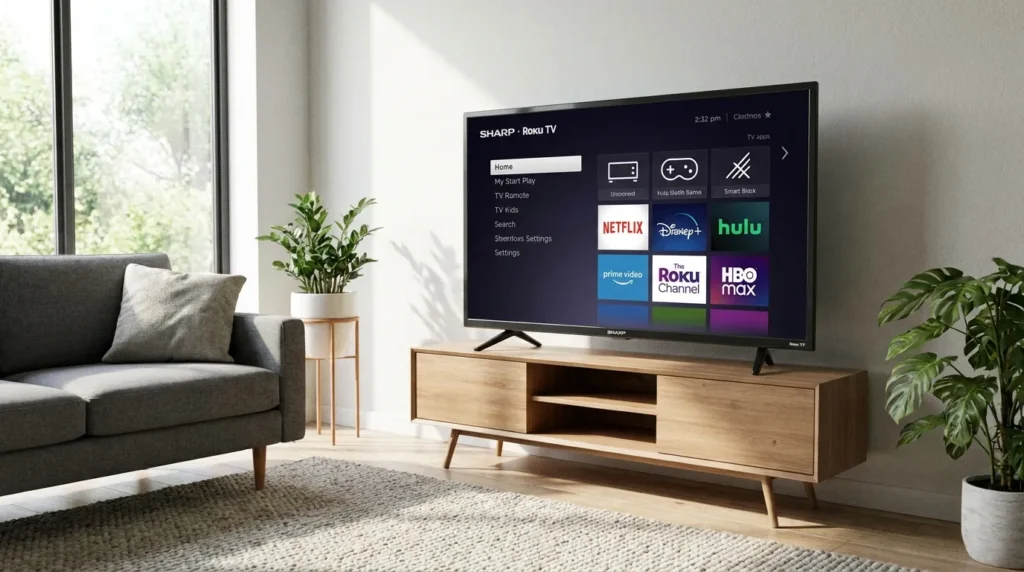
Some Sharp TVs sold from 2019 onward run the Roku operating system. These are branded Sharp Roku TV and are sold primarily at Walmart and Target in North America.
Standard universal remote codes do not apply to Sharp Roku TVs. The Roku remote that comes in the box pairs via Wi-Fi (Enhanced Remote) or IR (Simple Remote), not through a code database. If you’ve lost a Sharp Roku TV remote, your options are:
- Download the Roku app on your phone and use it as a remote (free, works immediately)
- Buy a replacement Roku-compatible remote — any Roku remote labeled “simple” or “standard IR” will work with Sharp Roku TVs
- Use a universal remote with Roku in its compatibility list — brands like GE and RCA have updated their code databases to include Roku TV codes
Note: Sharp TVs in North America have been sold under license by SKYVISION since 2019. The brand on the box says Sharp, but the device is manufactured by a third party. All remote codes on this page are valid for both legacy Sharp and current SKYVISION-licensed Sharp TVs.
Frequently Asked Questions
What are the most common Sharp TV universal remote codes? The most reliable codes across remotes are 0093 (4-digit) and 10093 (5-digit). These work with GE, One For All, Comcast, and RCA remotes. For 3-digit remotes, try 013 or 111 first.
How do I reset a Sharp universal remote? Remove the batteries from the remote. Press and hold any button for 10 seconds to drain residual power. Reinsert the batteries, then press 2 and 8 simultaneously, followed by 9-8-1. This resets the remote to factory defaults.
Can I use my phone as a Sharp TV remote? Yes. Download the Google TV app on Android or iOS and connect it to the same Wi-Fi network as your Sharp TV. The app provides full remote functionality including volume, input selection, and navigation. This only works on Sharp smart TVs with Wi-Fi capability.
What is the default PIN for Sharp TV settings? The default PIN is 0000 or 1234 on most Sharp TV models. If neither works, contact Sharp support directly as some models ship with a region-specific default PIN.
Do these codes work for Sharp Aquos TVs? Yes. All Sharp Aquos (LC-series) models use the same IR code protocols as other Sharp TVs. The best codes to try first for Aquos TVs are 1077, 1078, 1081, 1097, 1099 using a 4-digit remote.
What if my remote only accepts 3-digit codes? Use the 3-digit list above: 002, 013, 014, 111, 502, 509, 712, 812, 813, 913, 918. Older universal remotes from brands like Chunghop often use 3-digit codes exclusively. Visit the Chunghop universal remote codes page for model-specific instructions.
Conclusion
For most people, codes 0093 or 10093 will solve the problem in under two minutes. If those don’t work, the auto-scan method is reliable on every Sharp TV model regardless of age or series.
The only exception is Sharp Roku TV — those require a Roku-specific remote or the Roku app, not a standard IR code.
If you’re still running into issues after trying both methods, the Remote Code Finder tool lets you search by remote model number and TV brand to pinpoint the exact code for your setup. The Universal Remote Compatibility Checker is also useful if you’re deciding between multiple remotes before buying.


